Everything is a Task: One Container for To-dos, Docs, Notes, and a Knowledge Graph
Unix has a famous design philosophy: everything is a file. Directories, devices, pipes, sockets — all read and written through one uniform interface. Simple, unified, composable.
UnDercontrol borrows the same idea, just with a different primitive: everything is a Task.
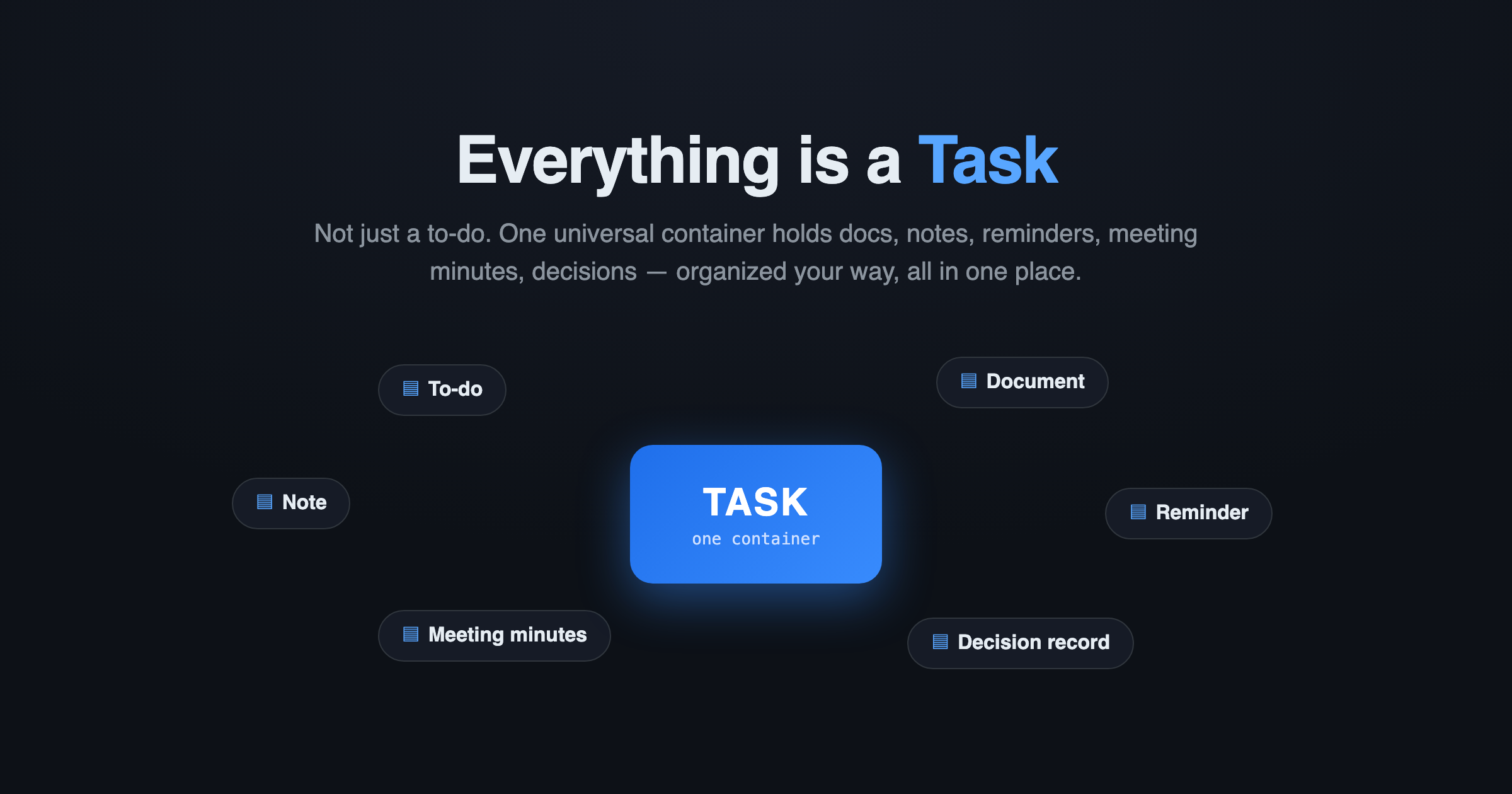
Most tools treat a "task" as a single line with a checkbox. UnDercontrol never did. Here, a Task is a universal information container — it can be a to-do, a document, a reminder, a blog draft, meeting minutes, a decision record, even a wiki page. One data source, organized your way, all in one place.
You don't hop between apps; an AI agent needs just one tool to reach everything you have.
Three content layers
Every task is made of three layers, each with a design intent — but you're free to use them however you like:
| Layer | Format | Design intent |
|---|---|---|
| Task body | Markdown | The living, canonical document — the Single Source of Truth |
| Notes | Markdown | An append-only timeline — how this unit of information evolved |
| Comments | Plain text | Lightweight, threaded discussion — short and focused |
The body is a living document where you keep the complete, coherent narrative; notes record progress over time (session start, each commit, blockers hit); comments are the quick conversation around the content. Clean separation — and all plain text, so both humans and AI read it directly, with no conversion.
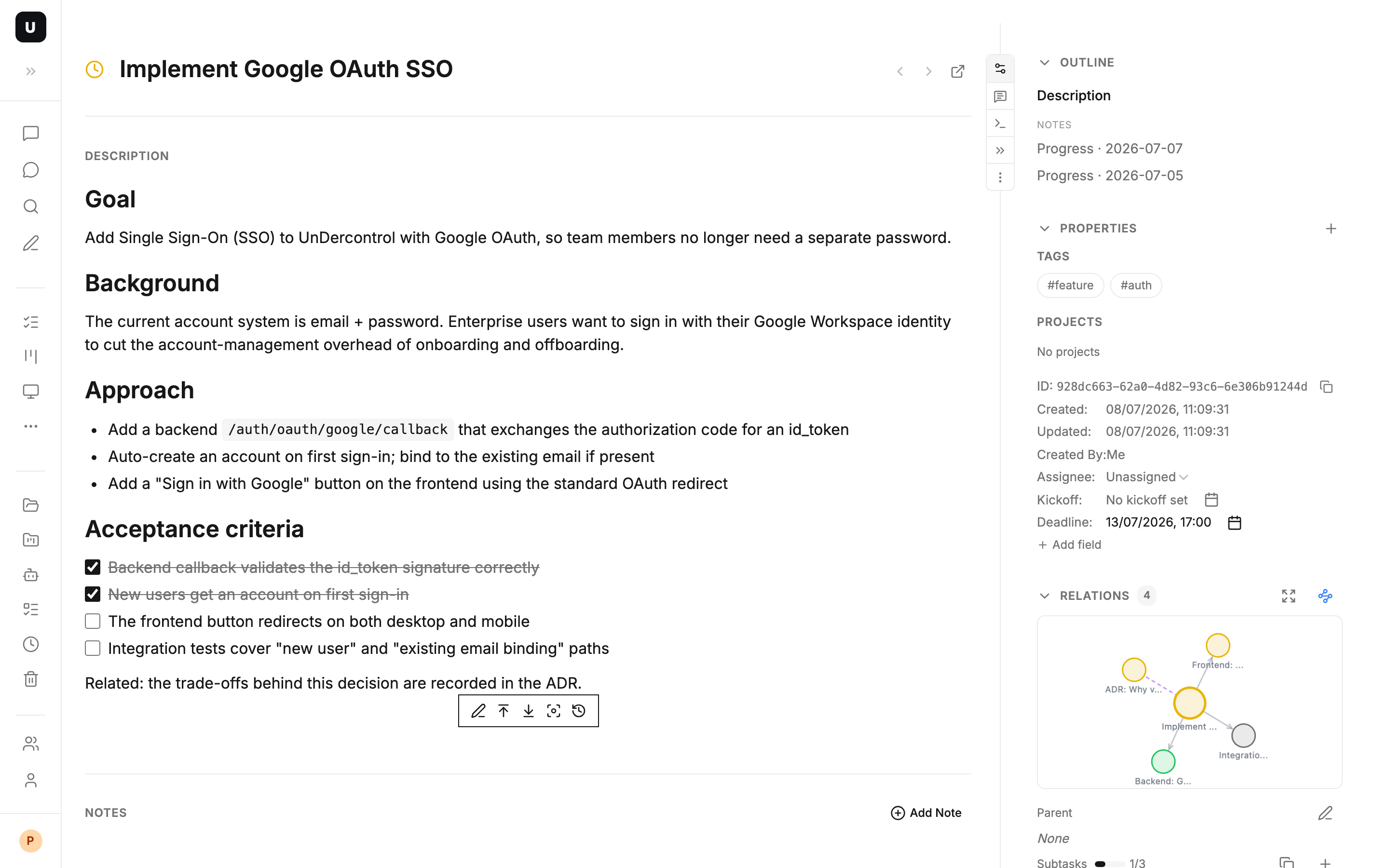
A single task detail page makes the point: it's not one line of to-do, but a living document with a Markdown body, tags, status, deadline, a notes timeline, subtasks, and a relation graph.
One content, many views
Because there's only one primitive underneath — the Task — UnDercontrol can offer many views over the same data, switchable anytime:
- List view: linear and filterable, great for scanning and batch work
- Kanban view: drag cards to change status, manage in-flight workflow visually
- Calendar view: laid out by deadline, so timing is obvious at a glance
- Tree view: expand parent-child relationships to see the hierarchy
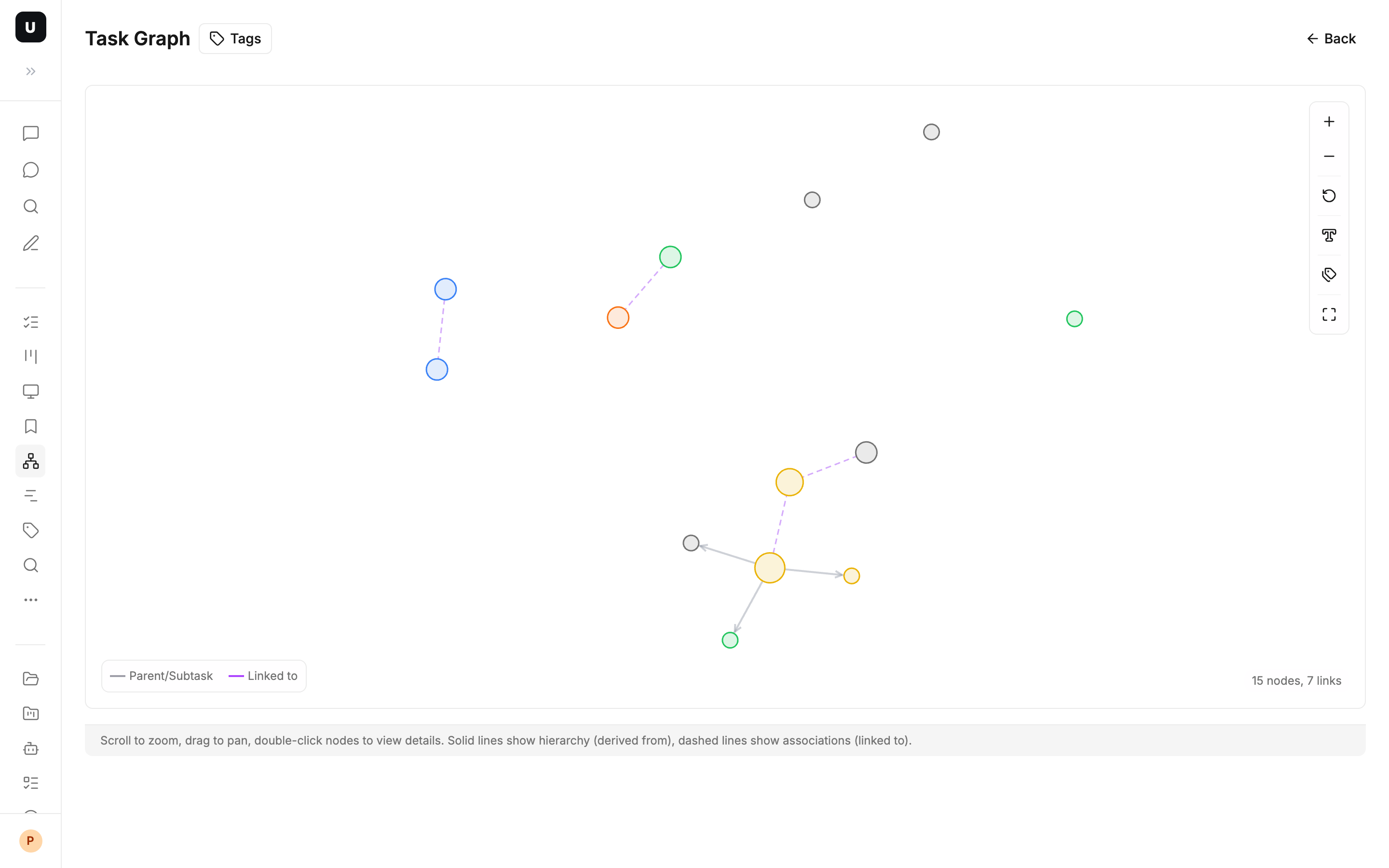
- Graph view: traverse links, parents, and subtasks as a graph to see how knowledge connects
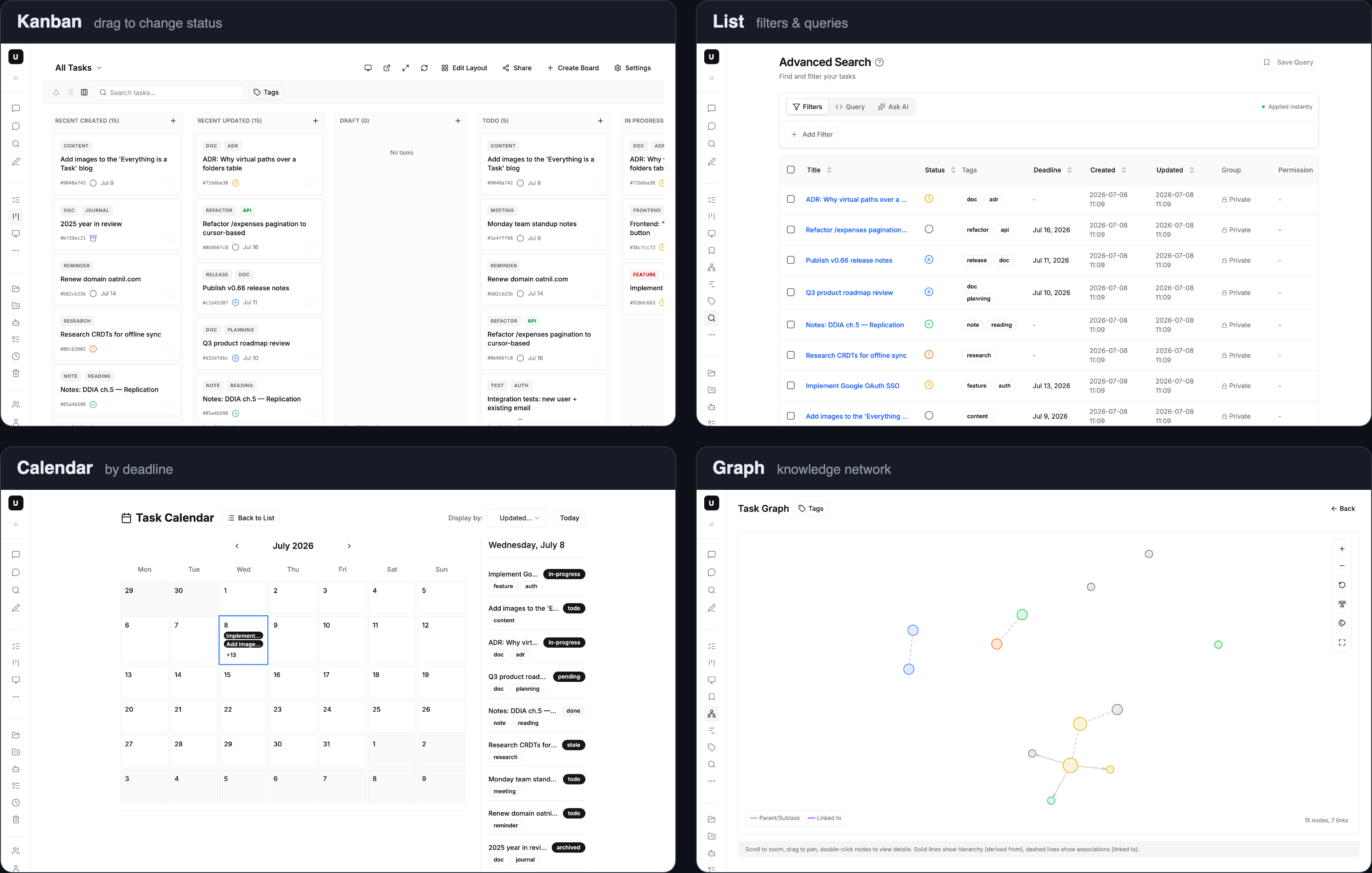
A board isn't "another container" — it's essentially a saved query. The same task can appear on many boards at once, with zero duplication. You change the perspective, not the data.
Six statuses that match real workflow
Tasks support six statuses that fit how real work moves: todo, in-progress, pending (awaiting confirmation/review), done, archived, and stale. Dragging on the board updates status automatically — and status itself is information: one glance tells you where everything stands.
Tell things apart with tags and metadata, not folders
If everything is a task, then a "document" and a "to-do" are structurally the same thing. What sets them apart is never the structure — it's tags, metadata, and views. UnDercontrol forces neither a tagging convention nor a folder hierarchy on you:
- Tags: free-form labels you define (
doc,meeting,reminder— anything) - First-class metadata: title, status, tags, deadline, assignee, links — the 20% that covers 80%
- Custom metadata: unlimited key-value pairs (
doc_type: rfc,client: acme), all queryable too
When you need precise retrieval, UnDercontrol also gives you a SQL-like query language and natural-language queries — save common conditions as board columns and complex filtering is one step away.
Virtual folders + AI: organize information like files
Prefer a "folder" style of organizing? UnDercontrol has that too — virtual folders. Every task carries a path field (a virtual path, a first-class part of the schema, e.g. /Work/Alpha/) that adds up to a familiar file tree in the app; drag to file things away. An empty path means "unfiled", / is the root, /Work/Alpha/ is a specific folder — and it's not just tasks: resources (attachments), skills, and other entities share the same virtual paths, placed in one tree.
It even syncs between local and cloud like Git: ud pull /Work/Alpha/ checks a virtual directory out into a local folder (creating a .ud/ to hold sync state, just like .git/), edit it with whatever editor you like, and ud push sends it back. To move a folder, just move it locally and ud push updates the cloud path.
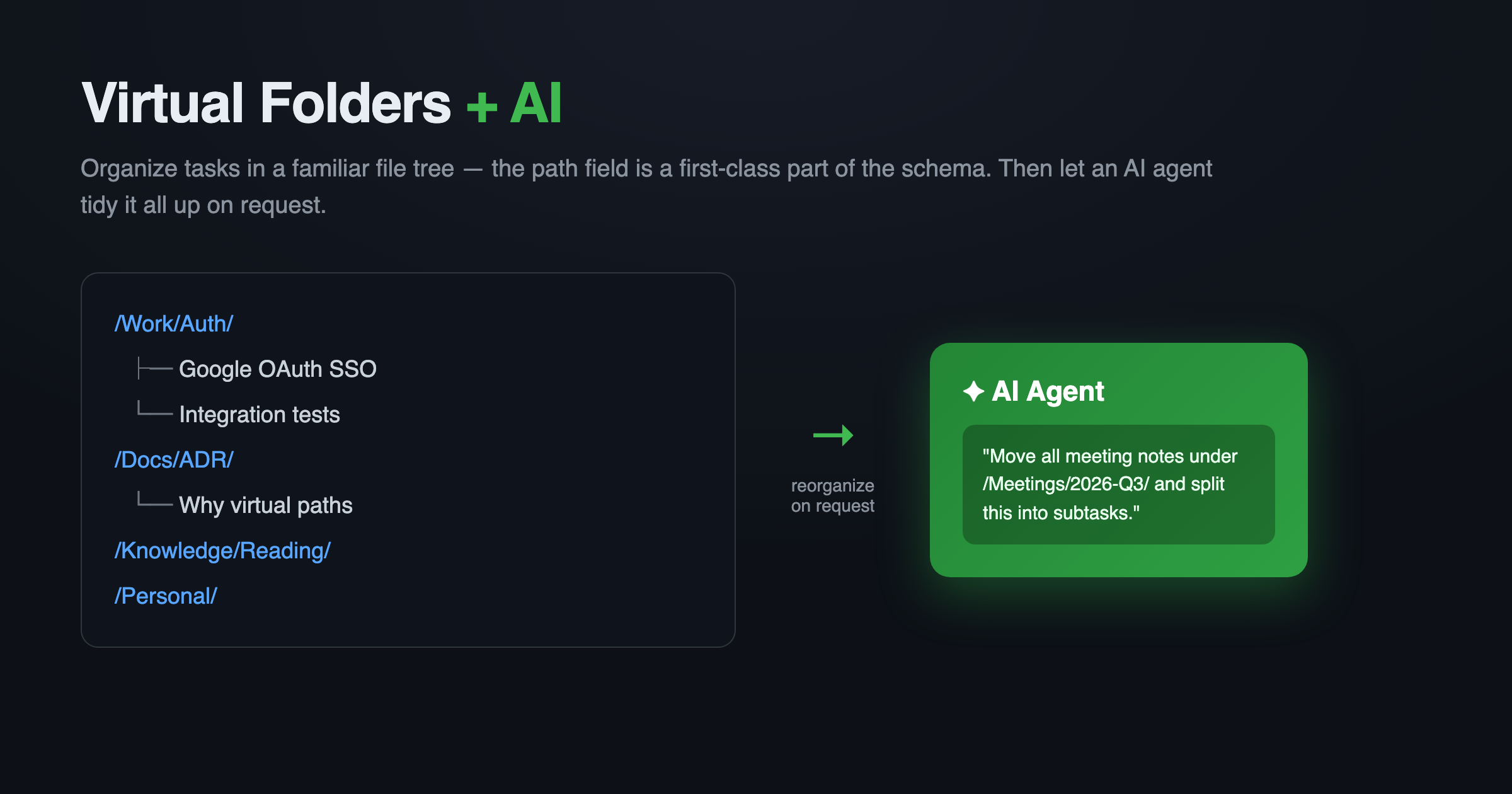
What makes organizing truly effortless is adding AI. Because the whole structure is plain text plus paths, an AI agent can read your full picture and tidy it up for you:
- "Move all these scattered meeting notes under
/Meetings/2026-Q3/" — the AI rewrites paths in bulk, one sentence - "Organize this project's tasks into a clean folder structure" — the AI reads the content, decides where things belong, and reorganizes
- "Split this into subtasks and archive the old ones" — the AI handles the splitting, filing, and status changes together
Claude Code, Codex, OpenCode, or any terminal-based agent can do this through one uniform CLI. You do the thinking; the AI puts information where it belongs.
Bi-directional links: weave tasks into a knowledge graph
Tasks can connect in several ways: peer links relate two things; parent/subtask relationships break a big goal into executable steps. With the graph view, your task base becomes a traversable knowledge network rather than a pile of isolated entries.
Inside the body, notes, and comments you can also reference other entities with Markdown links — another task [Title](task://...), a note [## Heading](note://...), an @mention [@name](mention://member/...), even an embedded uploaded image . The whole base is interconnected.
Not just tasks: one editor across every text surface
"Everything is a task" has one more layer: UnDercontrol's Markdown editor is not task-only — it's reused everywhere you write in the app: task bodies, notes, even the memos on finance records (expenses, accounts). The editing experience, Markdown syntax, and embedded links and images you know from tasks are identical elsewhere. Learn it once, use it everywhere.
Attachments and collaboration
Tasks let you drag files in or paste from the clipboard — screenshots, design mockups, documents stay next to the task they belong to. Storage can be local or S3-compatible object storage; your data stays under your control.
For collaboration, tasks are shared through groups with role-based read/write permissions. The same task can appear on a shared board where teammates discuss and update progress — you share the information, not your whole account.
Typical scenarios
- Personal knowledge base: keep meeting notes, decision records, and reading notes all as tagged tasks; retrieve them anytime with queries and boards — one app holds it all.
- AI agent collaboration: Claude Code, Codex, OpenCode, or any terminal-based agent reads and writes tasks, appends notes, and records progress through one uniform CLI — human and AI share one source of truth.
- Product/engineering pipeline: requirements in the task body, progress in notes, review comments in comments; track status flow on a board and see dependencies in the graph.
- Content creation: a blog's Chinese draft, English draft, and social copy each live as a note; the task itself is the Single Source of Truth, and everything published outward is derived from it.
In summary
Everything is a task — not just a slogan, but UnDercontrol's underlying design: a Markdown-native, AI-ready universal container, with many views, six statuses, bi-directional links, flexible tags and metadata, and one editor across the whole app. No more shuttling things between a to-do tool, a notes tool, and a docs tool — it all belongs in one place.
Start here
- 🏠 Website & docs: oatnil.com
- 📦 CLI installation guide: oatnil.com/docs/cli
- 💻 Desktop App & self-hosting: oatnil.com/subscribe
One universal container, one home for all your work — try it now with npm install -g @oatnil/ud.