Turn a Task into a Parcel Locker
The computer at a print shop isn't yours, and you're not going to log into anything on it. The usual ways to move a file there are all awkward: messaging apps want a QR scan and a login session, cloud-drive share pages nag you to install their app, and the USB stick is at home.
A task in UnDercontrol is already a container: body text, notes, and file attachments. Generate a public share link for it, and anyone who has the link can read the content and download the files. No account, nothing to install. It works like a parcel locker: you drop things in, get a pickup code, and whoever has the code takes them out.
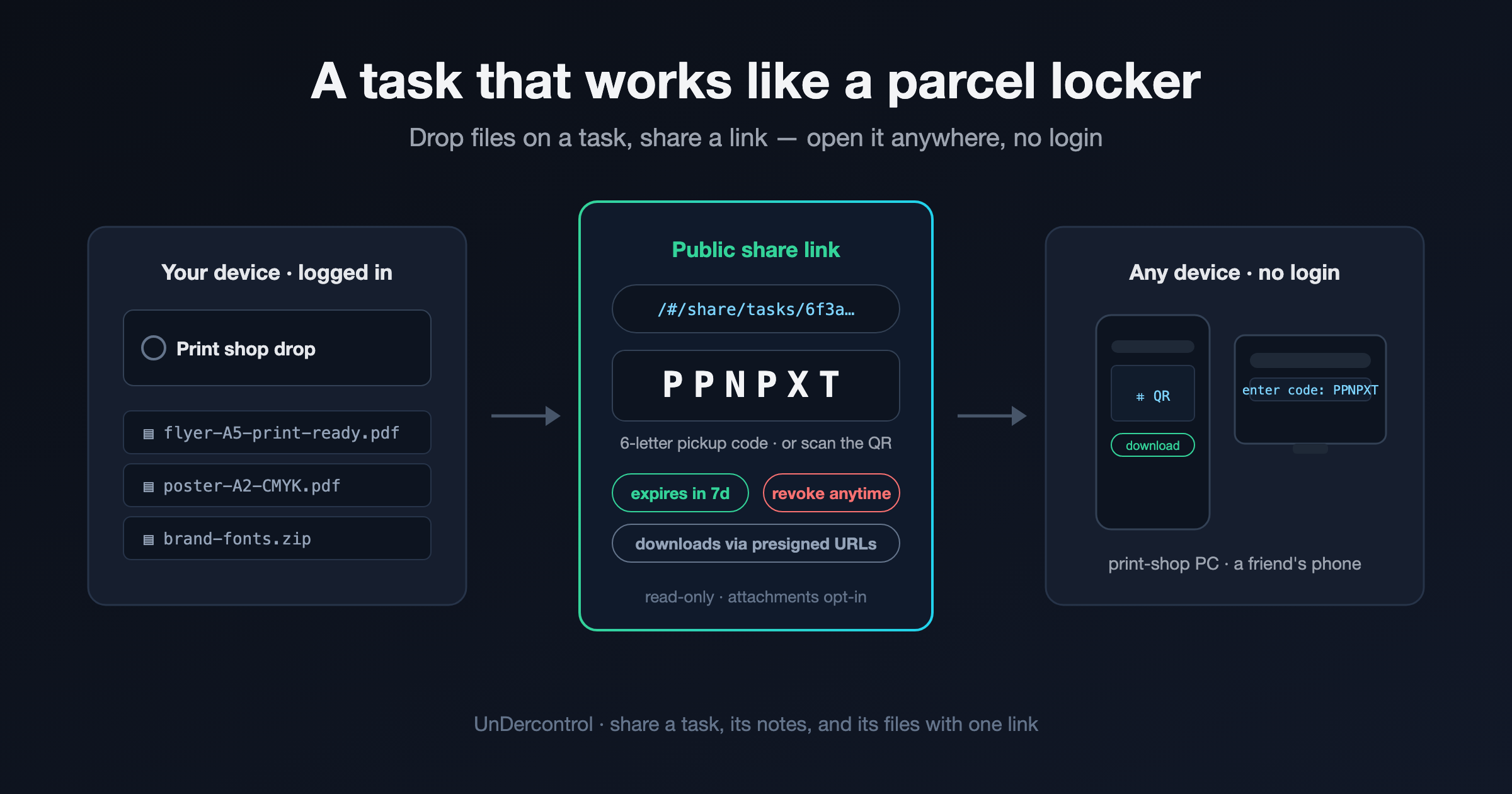
Step 1: put the files on a task
Create a task and upload the files in its attachments section. The task body is Markdown, so write the instructions right next to the files. Whoever opens the link sees your print requirements, not a bare file list.
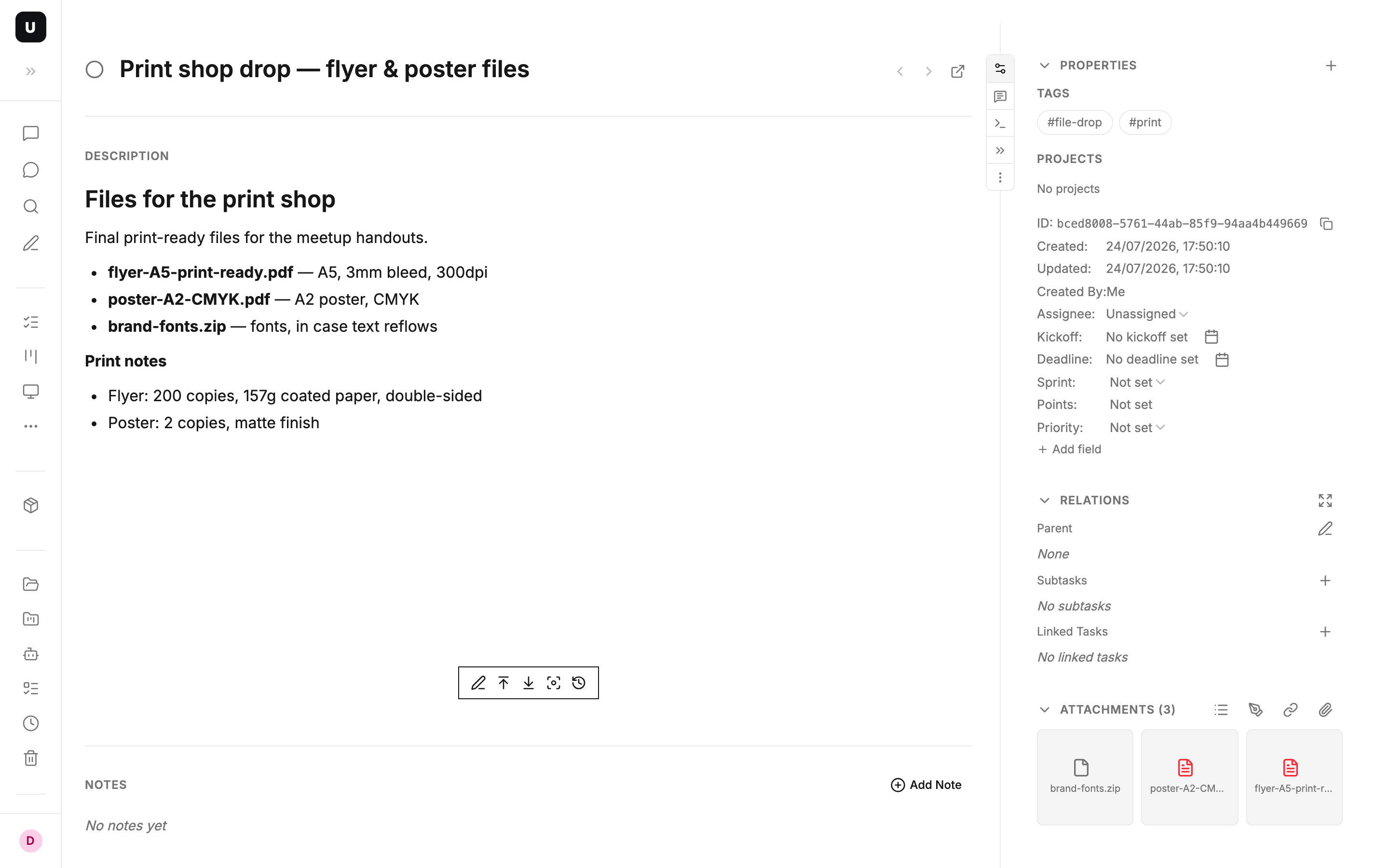
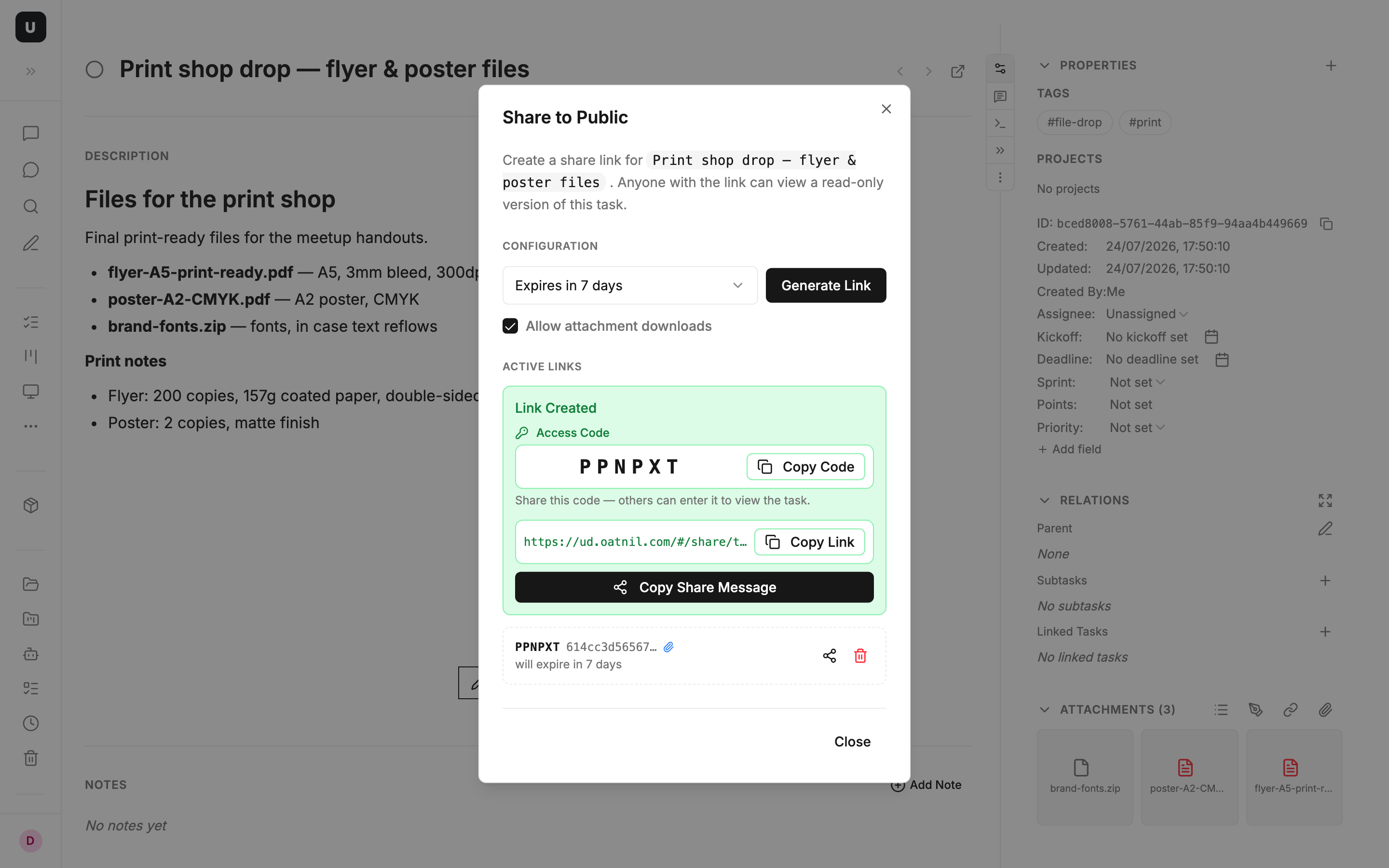
Step 2: generate the share link
Open Share to Public in the task menu. Two settings:
- Expiry: 1 hour / 1 day / 7 days / never
- Allow attachment downloads: off by default; check it when the point is the files
Click Generate Link and you get three things at once: the full link, a 6-letter pickup code, and a pre-composed message (Copy Share Message) that carries both, ready to paste into any chat.
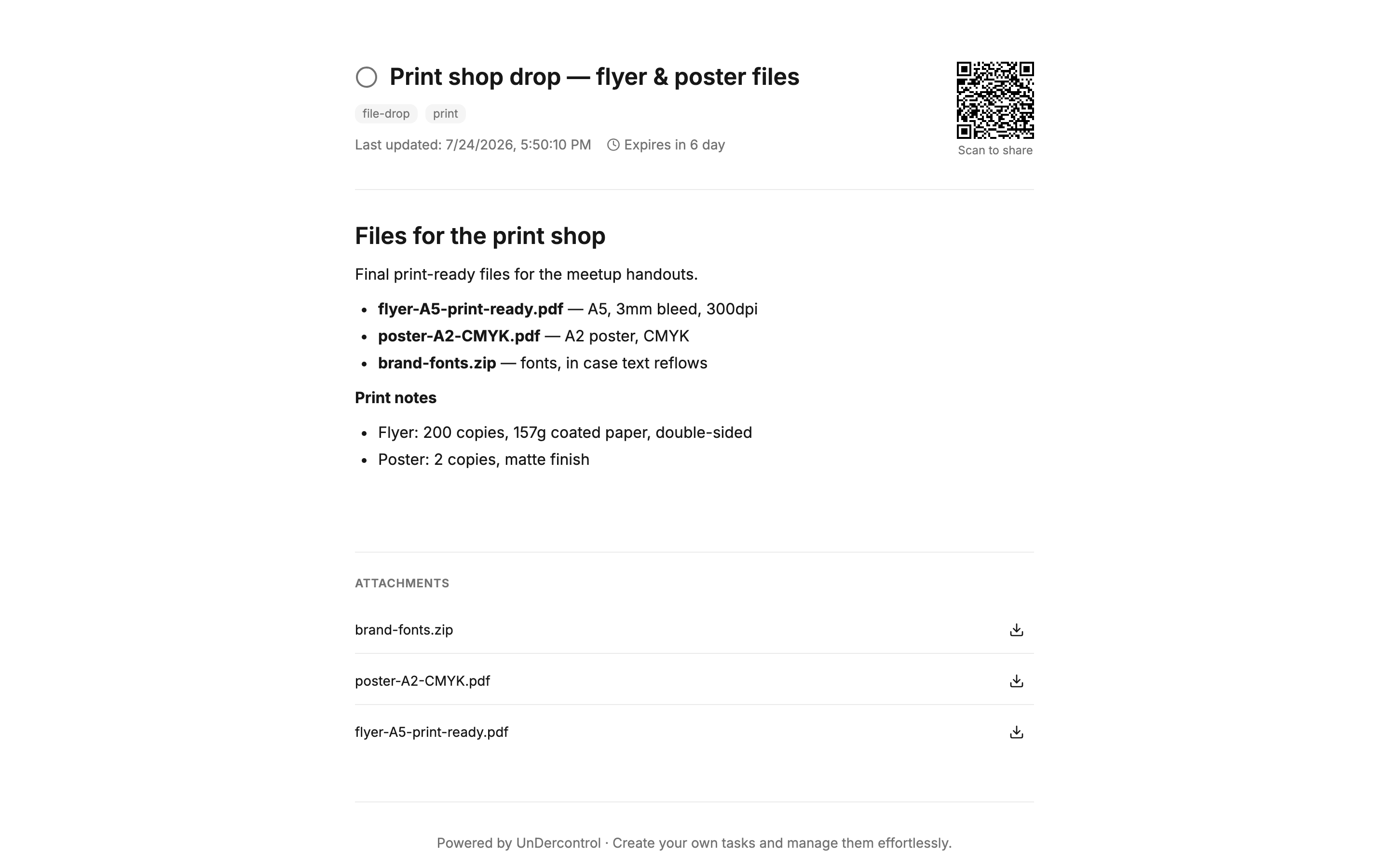
Step 3: pick up on any device
Three ways in, for three situations:
- You have the link: open it. It's a read-only page with the title, body, notes, and attachments, each with a download button.
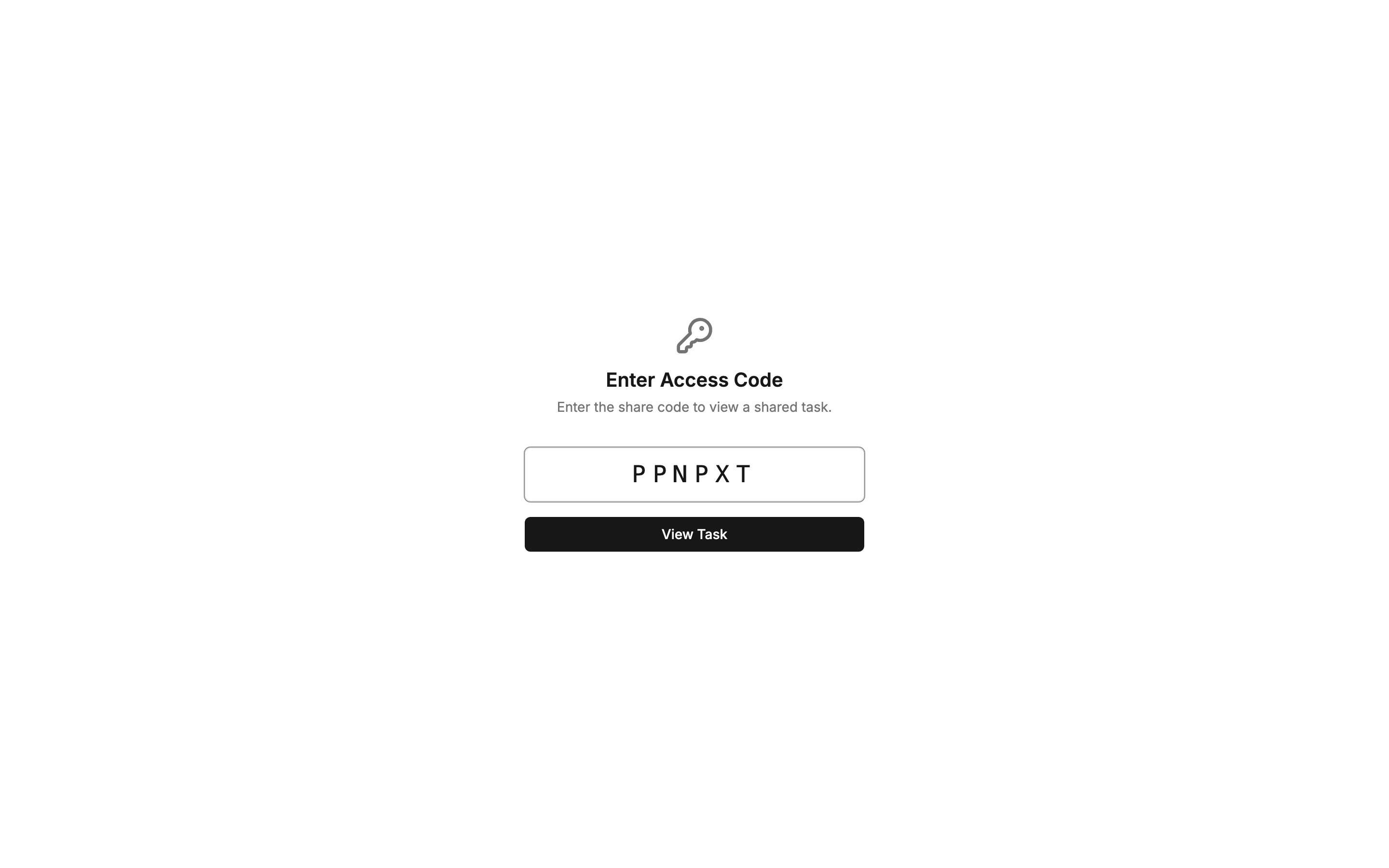
- You have only the code: open the share entry page and type the 6 letters. Handy when the code was read out loud, or on a public computer where you'd rather not type a long URL.
- You're standing next to the person: the share page shows a QR code; scanning it lands on the same page.
The security details
- The token in the link is 32 random bytes (64 hex characters), so it can't be enumerated
- Links expire on schedule. The dialog lists each link's remaining time, and any link can be revoked at any moment
- Attachment downloads go through presigned URLs generated per click and valid for 15 minutes; the file in storage is never public
- The shared page is read-only and carries only the title, body, notes, and attachments. No account info, and comments stay private
- Self-hosted instances can switch public sharing off entirely in system config
A parcel locker for documents too
The task body and notes are Markdown, written in the same editor UnDercontrol uses everywhere else (notes, finance records). So the thing you share doesn't have to be a file. Meeting minutes, a PC-build checklist, a travel plan — the other side opens a formatted read-only page. Files and documents travel through the same link.
Typical scenarios
- Print shop: attach the PDFs, type the pickup code on the shop computer, download and print, revoke the link when you get home
- Sending files to someone without an account: paste the Copy Share Message; one message carries the link and the code
- A shared meeting-room computer: type the 6-letter code to open the document read-only; whoever wants a copy afterward scans the QR on the page
- Deliverables for an outside collaborator: pick the 7-day expiry and the link shuts off by itself
- Output from terminal AI agents (Claude Code, Codex, OpenCode, or any terminal-based agent): the agent attaches its report and artifacts to a task; you review, then forward one link
The entry point is Share to Public in the ⋮ menu on the task detail page. Self-hosting? Check that the public share switch in system config is on — it is by default.