Virtual Path: Where Tasks Settle into Knowledge and Docs
I've watched too many tasks die the moment they hit "Done." The card gets archived and nobody ever opens it again — why we designed it that way, what pitfalls we hit, how it was verified, all buried inside. Two months later someone asks, and you retell it from memory.
Building UnDercontrol, I've held onto one conviction: a task shouldn't be disposable. Its body is already a Markdown document, its Notes record how it evolved step by step, and the comments keep the arguments from back then. Throwing all of that away when the work is done is just wasteful.
That's why Virtual Path exists.
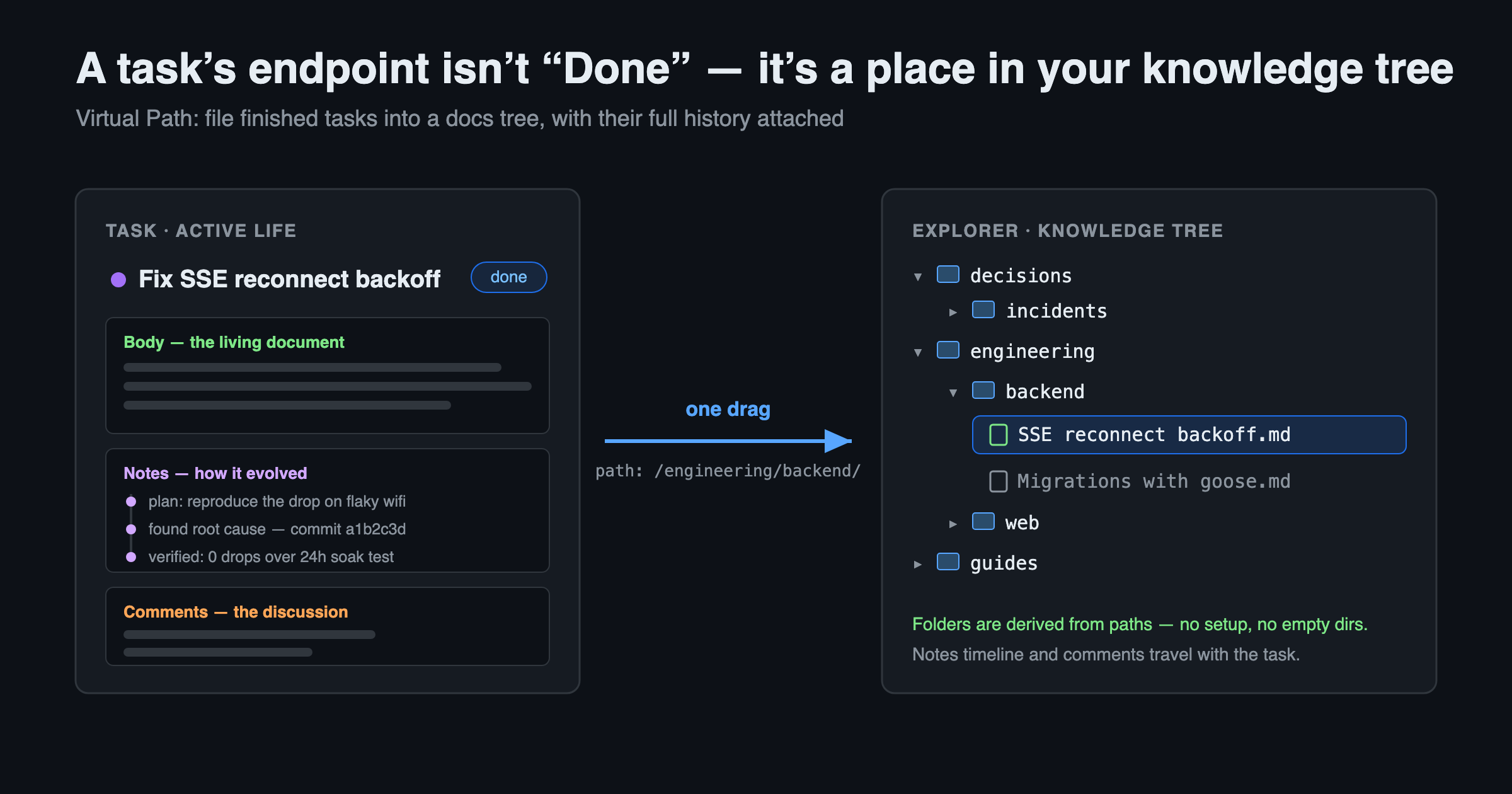
Give a task a place
The idea is simple: every task, every uploaded file, even every Skill can carry a virtual path like /engineering/backend/. Everything with a path forms one tree — the Explorer. It looks like a file manager, but there are no real directories underneath. Wherever a path exists, a "folder" exists; delete the contents and the folder disappears on its own. You never have to maintain a pile of empty directories.
When a task is done and worth keeping, drag it into /decisions/ or /engineering/ — it turns from a finished card into a document in your knowledge base. No copy-pasting into another note app; the Notes and comments stay attached.
And the ones not worth keeping? Leave them. Unfiled tasks sit at the tree root and in the "Unfiled" area, never mixing into the folders you've organized. The tree is curated, not accumulated — you decide what earns a place.
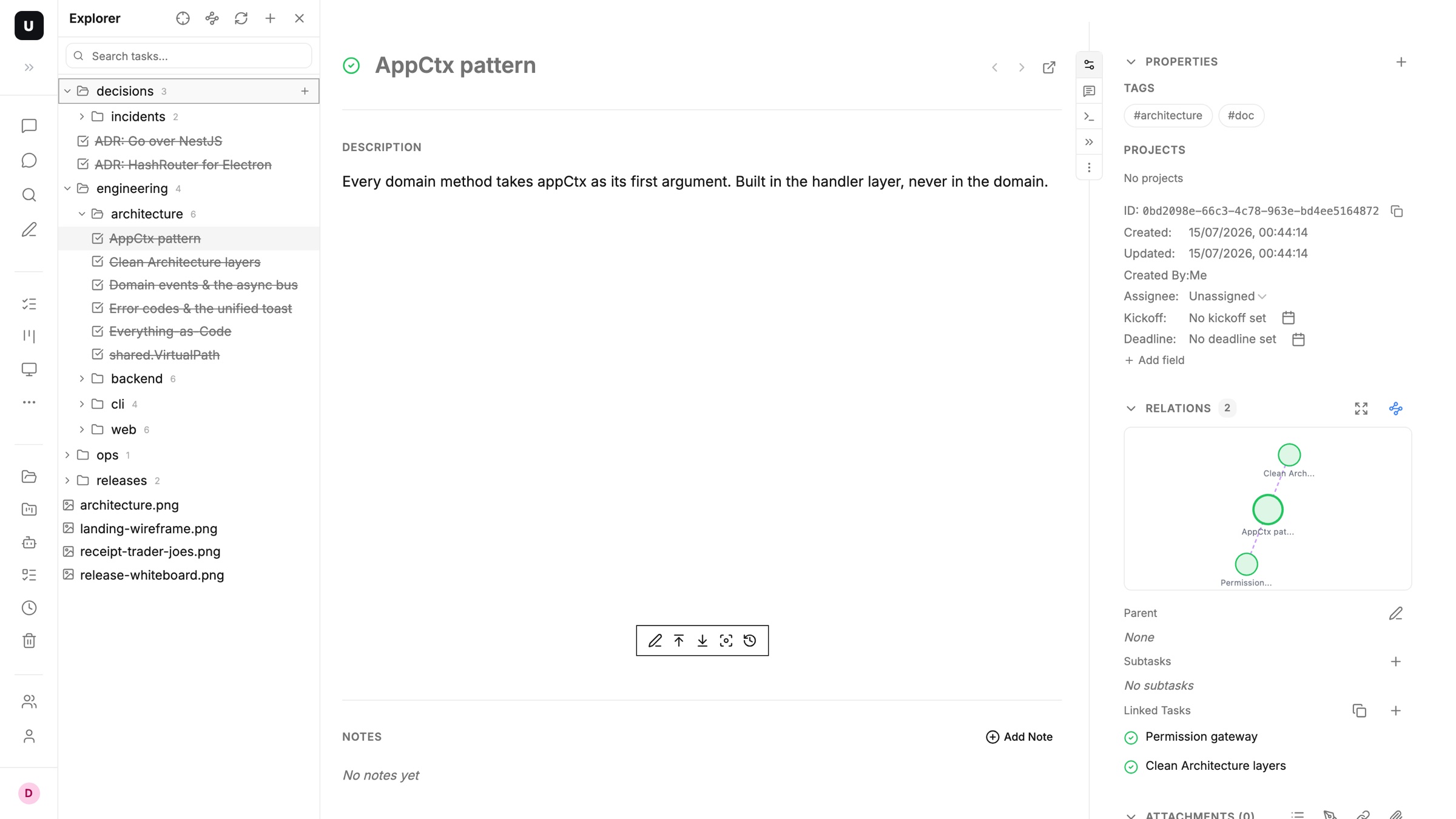
Diagrams, screenshots, whiteboard photos can live at the same path too, so a topic's text and assets sit side by side — no more digging through a cloud drive for "that one image."
By the way, this isn't just about tasks. Every writing surface in UnDercontrol — tasks, notes, expense records, account memos — shares the same Markdown editor, so any content can settle down the same way.
Many tasks, one document
The more common case is this: a topic wraps up after seven or eight tasks, each holding a few scattered findings, none of them usable as a document on its own.
These days I hand that job to an agent. Claude Code, Codex, OpenCode — any terminal agent can read through the batch via the ud CLI, distill it into one new document, and file it into the right folder of the tree. The original tasks stay untouched, kept as raw material you can always trace back to. What the knowledge base keeps is the distilled conclusion, not a pile of process.
Sync it local — offline, and yours
Knowledge living on a server is only step one. My own habit: documents must be able to land on my own disk, editable with whatever editor I like.
The ud CLI syncs git-style (I wrote about the basics before: Manage Your Tasks Like git: ud pull / push):
ud init /Knowledge/   # bind the current folder to a virtual path
ud pull               # tasks become local .md files
ud push               # local edits go back to the server
ud status             # see what differs
The default vault layout is Obsidian-native:
MyVault/
├─ engineering/backend/
│  └─ SSE reconnect backoff.md     ← one .md = one task
├─ notes/SSE reconnect backoff/    ← the task's Notes, grouped per task
│  └─ soak test results.md
├─ attachments/diagram.png         ← resources (--fetch-attachments)
└─ .udignore
After a pull, this is a fully offline local knowledge base. Plain Markdown on your disk — readable and editable without a connection, works fine on a plane, one ud push after landing. The data is yours. Both copies.
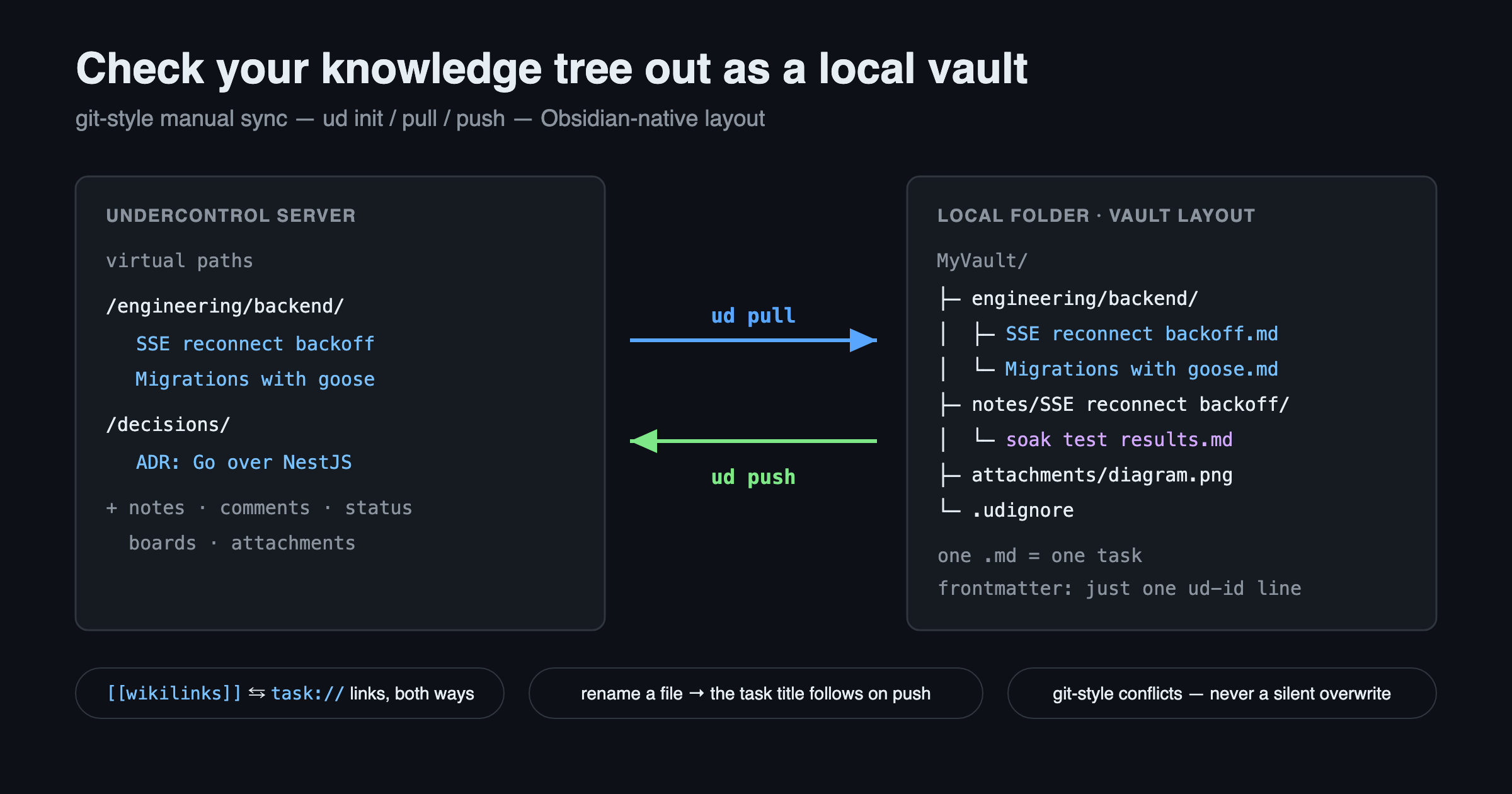
A lot of care went into the details; a few worth mentioning: ud writes exactly one ud-id line into the frontmatter and leaves the rest untouched; rename a file locally and the task title follows after a push; [[wikilinks]] written in Obsidian get translated into ud's task:// links on push and back again on pull, so clicking works on both sides; files you don't want synced go into .udignore, gitignore syntax; conflicts are handled git-style — items changed on both sides get flagged and skipped by default, never silently overwritten. And moving over from the older folder structure is a single ud migrate-layout away.
Let an agent tidy your tree
Every knowledge base gets messy over time. Folders grow deeper, names drift, stale docs mix with fresh ones — mine too.
But tidying is exactly the kind of bulk work agents are best at. The vault is just a local folder: after ud pull, let an agent read the whole tree — restructure folders, merge duplicates, unify naming, move the stale stuff into an archive. All it does is ordinary file operations; you review the diff with git or ud status, then ud push when satisfied. The Explorer on the web immediately shows the tidied shape.
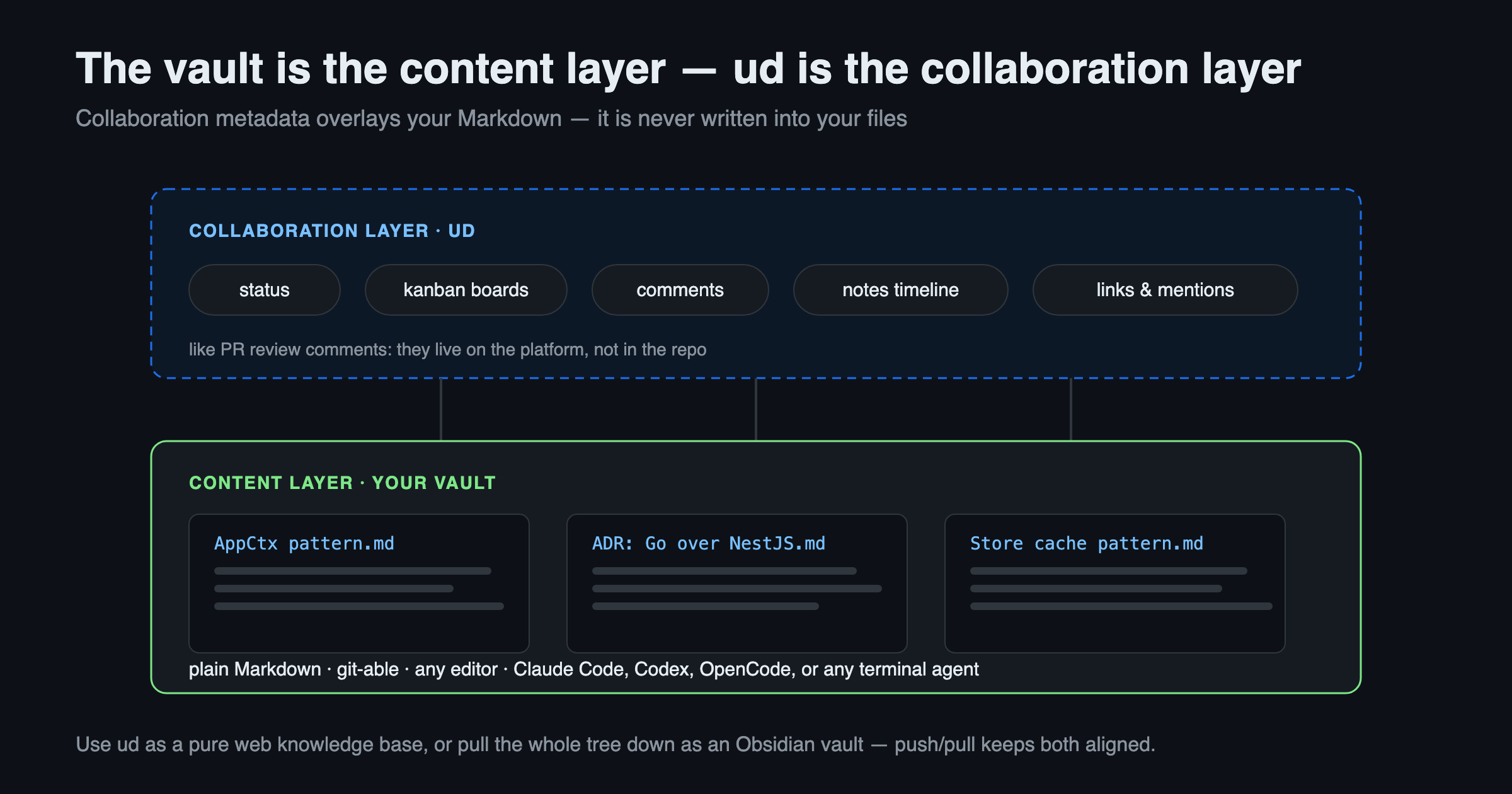
What makes it safe to let an agent loose here is the clean layering: the vault layer is content — plain text, git-able, anyone can edit it; status, boards, comments, and the Notes timeline are ud's collaboration metadata sitting on top, the way PR comments never get written into the git tree. The agent touches the content layer; the collaboration history loses nothing.
And a tidied tree isn't locked to one machine. Web, desktop, and mobile all see the same tree: skim an ADR on your phone during the commute, edit properly on the web at your desk, hand batch work to the CLI and agents in the terminal. Organize once, use it anywhere.
A task's endpoint shouldn't be "Done." Give the things worth keeping a place in your knowledge tree — one drag, one command, or hand it to your agent.