Pin the Discussion to the Line It's About
You send out a spec and the discussion immediately comes apart from it. Someone replies in Slack: "that field in the third section, is it nullable?" Now you scroll back to the doc, count down to the third section, and guess which field they meant. Read the same message a day later and the context is gone.
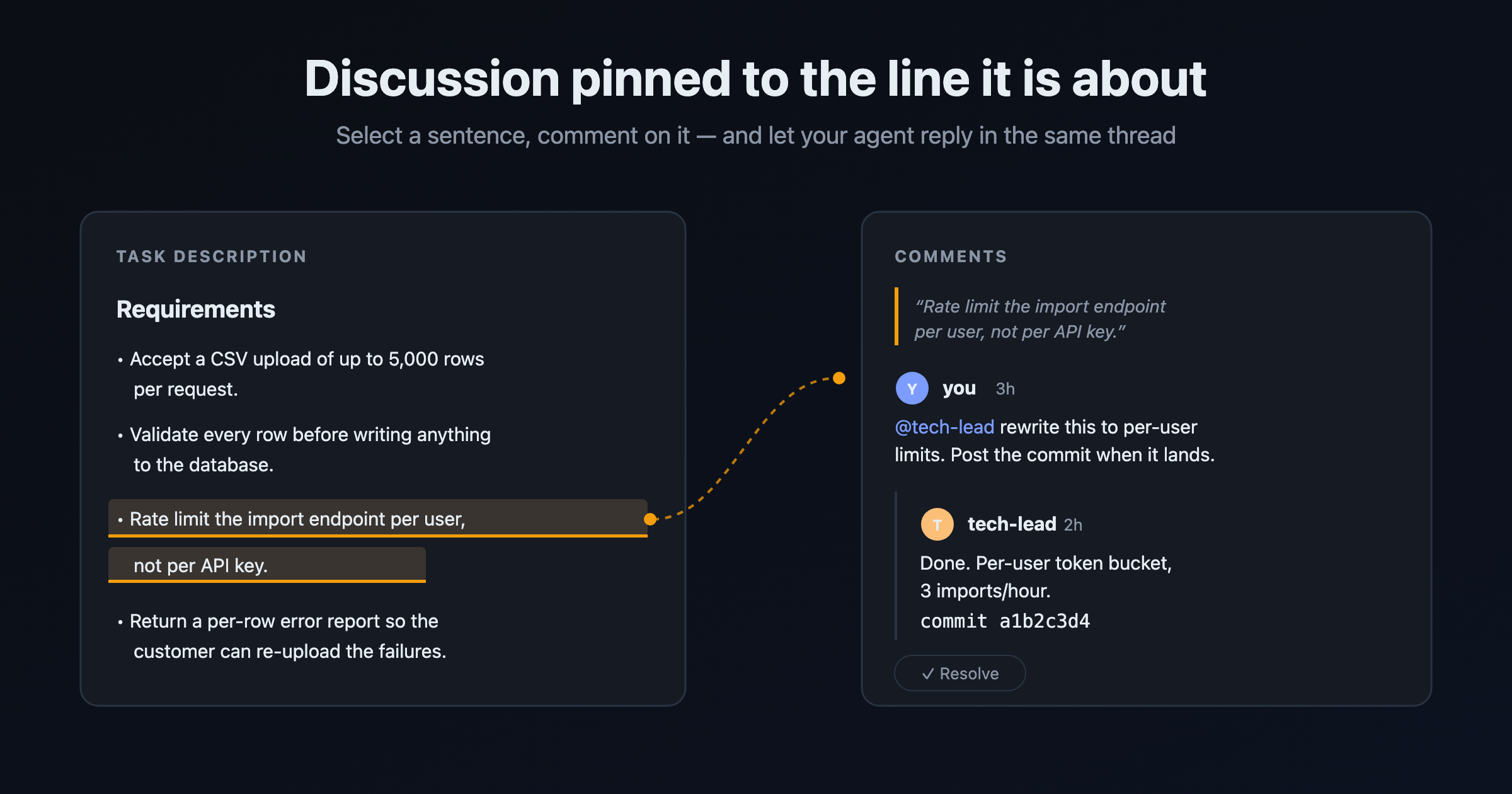
Anchored comments in UnDercontrol keep the discussion next to the original text. Select a sentence in the task body, click Comment in the bubble menu, and a comment carrying that quote appears in the right sidebar while the sentence itself turns into a highlight. Click the highlight later and the sidebar jumps to the matching thread. The quote lives on the comment, so the markdown in the task body is never touched. Copy it out or pull it down from the command line and you get exactly what you wrote.
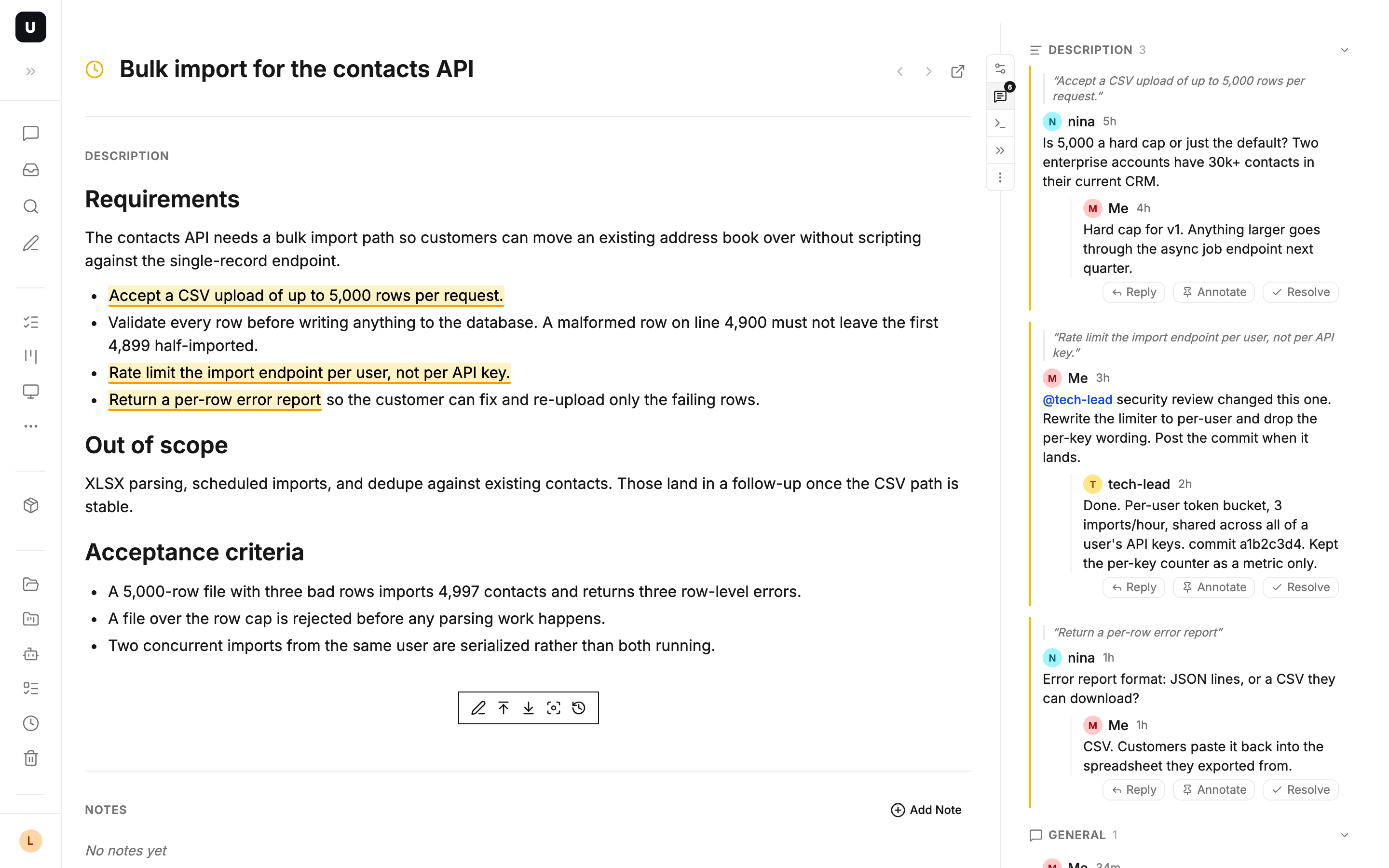
When a discussion is settled, hit Resolve. The highlight disappears from the body, the thread collapses into a single grey line, and you can reopen it whenever you want. Threads update on their own when someone replies, with no page refresh. On a phone there are no highlights and the comments sit below the body.
Reviewing a spec like you review code
A reviewer no longer has to write "third section, second sentence". They select the line that says "supports bulk import", ask "what's the upper limit?", and the author answers in the same thread. Agree, resolve, move on.
Once you have been through a spec, the highlights still lit on the page are the parts nobody settled. There is no separate write-up to do afterwards, because the unresolved threads are the to-do list.
Point at a line and let an agent change it
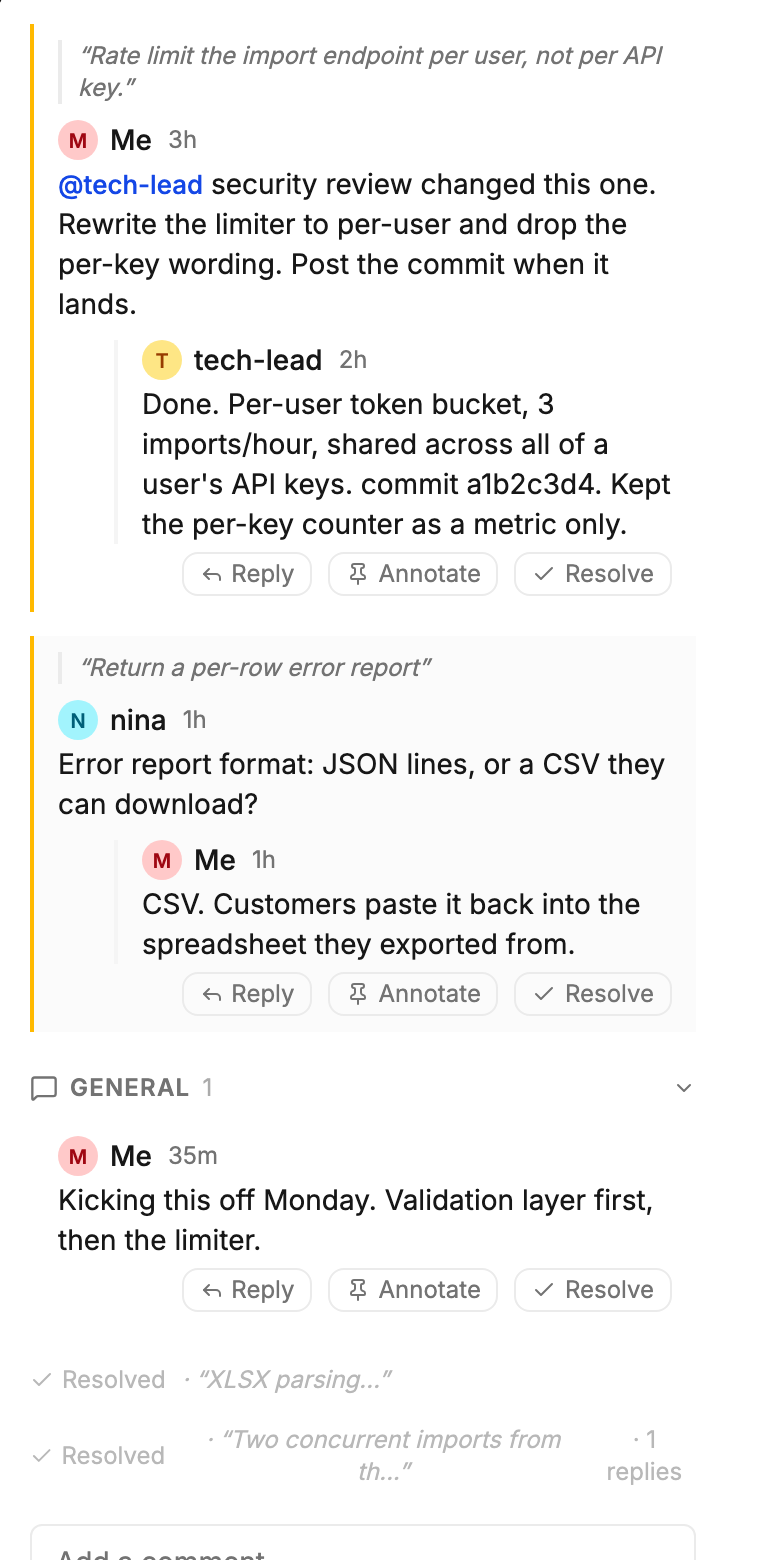
This is the part that is not like a normal comment section. Select the requirement you want changed, leave a comment that @mentions your agent, and say what it should become. The mention starts an agent session, reusing one that is already running, and when the agent is done its reply is the next comment in that thread, sitting alongside your colleagues' replies with the commit hash in it. Click the highlight and you are back at the text that changed, side by side.
People and agents talk in one thread, so you are not relaying messages between two tools.
Section-by-section discussion on long documents
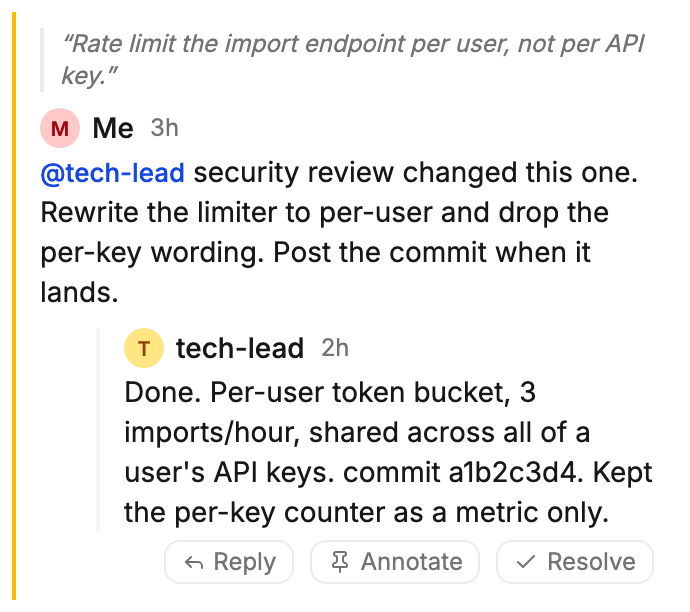
Write the task body as a design doc and record each iteration as a note. Discussions anchor to their own section: comments on the body in one group, comments on each note in a group of their own, and unanchored chatter in a third. Three months later, why a decision went the way it did is written next to the sentence it changed.
The same thread from your terminal
Comments are just as readable and writable from a terminal. The ud CLI treats them as a resource like any other, so an agent can read the discussion a human left in the browser and reply to it:
# read every discussion on a task
ud get comments --task 02c137b3

# reply to a thread
cat <<'EOF' | ud apply -f -
---
task_id: 02c137b3
parent_id: 7a1c9f2e
---
Per-user rate limiting is in, commit a1b2c3d4.
EOF
Claude Code, Codex, OpenCode, or any terminal-based agent works here without an adapter layer. Close a thread out with ud patch comment <id> --status resolved.
Anchored comments have been available since v0.88.0, in the browser, in the desktop app, and from the CLI.