Tags and Custom Fields: Organize Tasks by Your Own Dimensions
Most tools decide for you what a task "looks like": a few fixed dropdowns, a hard-coded set of fields, someone else's taxonomy. But in reality every person, every team, every workflow wants to track different dimensions — one needs "priority", another needs "client", "estimate", "department", and someone else just wants to slap on a tag and filter later.
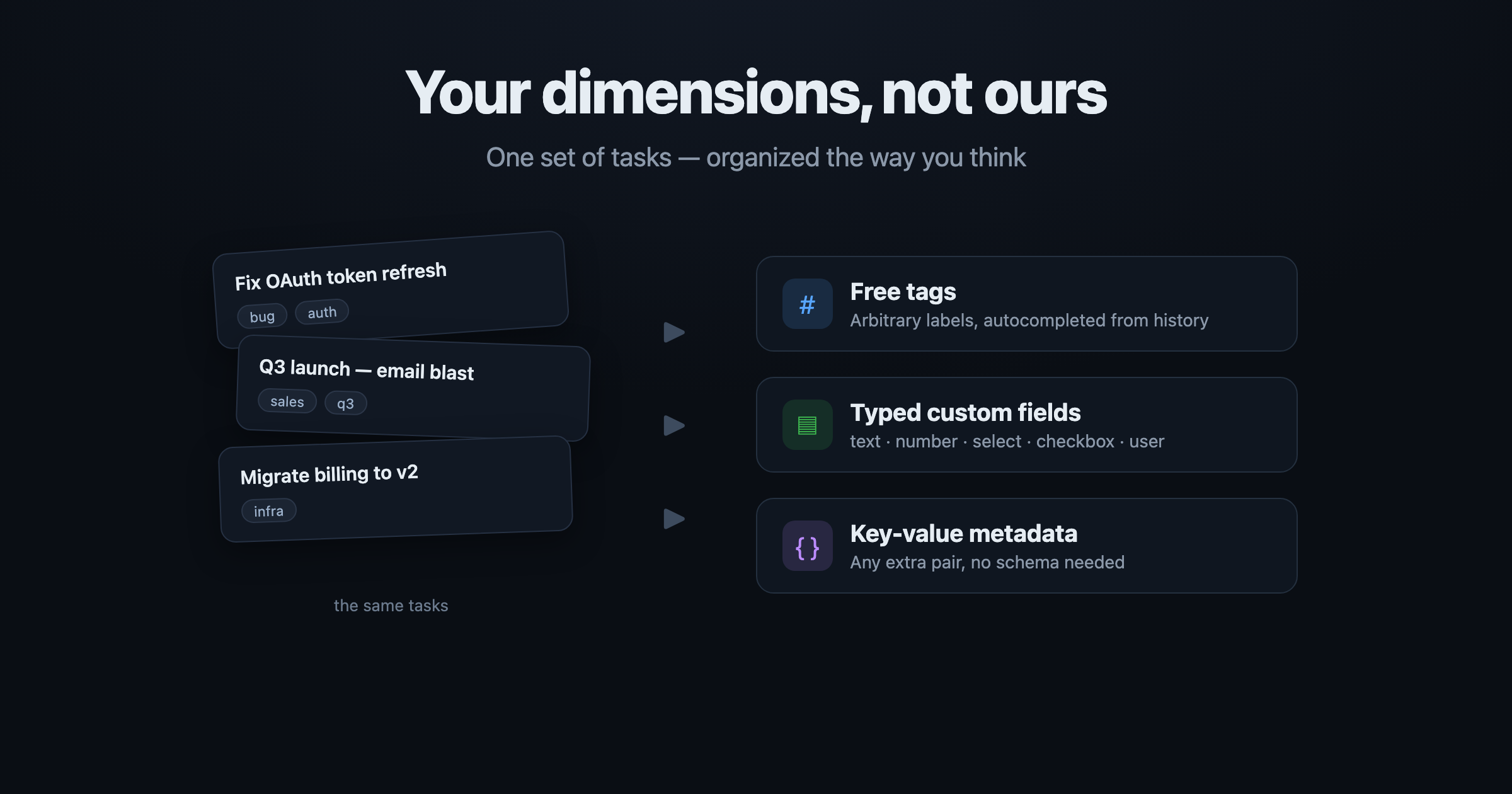
UnDercontrol doesn't impose structure. It gives you three composable layers: free-form tags, typed custom fields, and arbitrary key-value metadata. All three are directly queryable, so you can slice the same set of tasks along your dimensions instead of bending to the tool's taxonomy.
This rests on a core UnDercontrol idea: a task is not just a to-do — it's a universal container for information. The same Markdown editor runs across tasks, notes, expenses, and accounts — every text surface. Tags and custom fields are how you layer your own structure on top of that container.
1. Free-form tags: the lightest way to organize
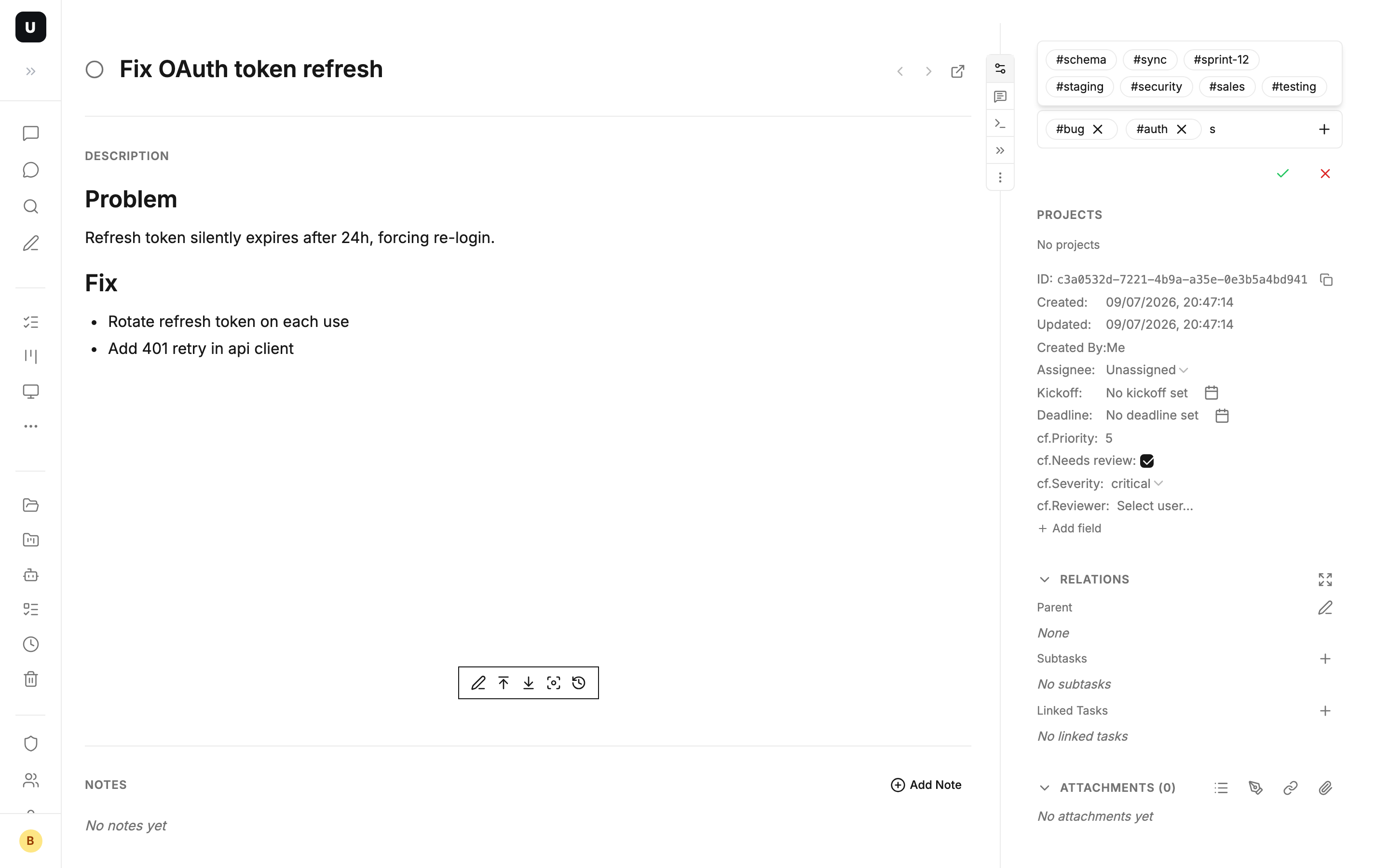
A tag is just free text you jot down — no predefined vocabulary, write whatever you want (work, urgent, client-acme, bug, all fine).
- Autocomplete built in: as you type, suggestions come from tags you've used before (ordered by recency) — free-form, yet you won't misspell or spawn ten spellings for one concept.
- Batch tagging: on the task search page you can add or remove tags across a batch of tasks at once, no need to open each one.
- Not only on tasks: tags also apply to resources (uploaded files), so you can thread files and tasks together with one shared vocabulary.
Tags themselves are a queryable array field:
tags CONTAINS 'work'                   -- has the work tag
tags IN ('work', 'personal')           -- has work or personal
tags CONTAINS_ALL ('work', 'urgent')   -- has both work and urgent
Typical scenario: a batch of related tasks lands on you — slap a shared q3-launch tag on all of them, then aggregate them from any board with tags CONTAINS 'q3-launch'. When the push is done, keep the tag as an archival breadcrumb, or batch-delete it.
2. Custom fields: typed, structured dimensions
Tags solve "attach a word". But when what you track has a type and a value range — priority is a number, department is a fixed set of options, owner is a specific member — reach for custom fields.
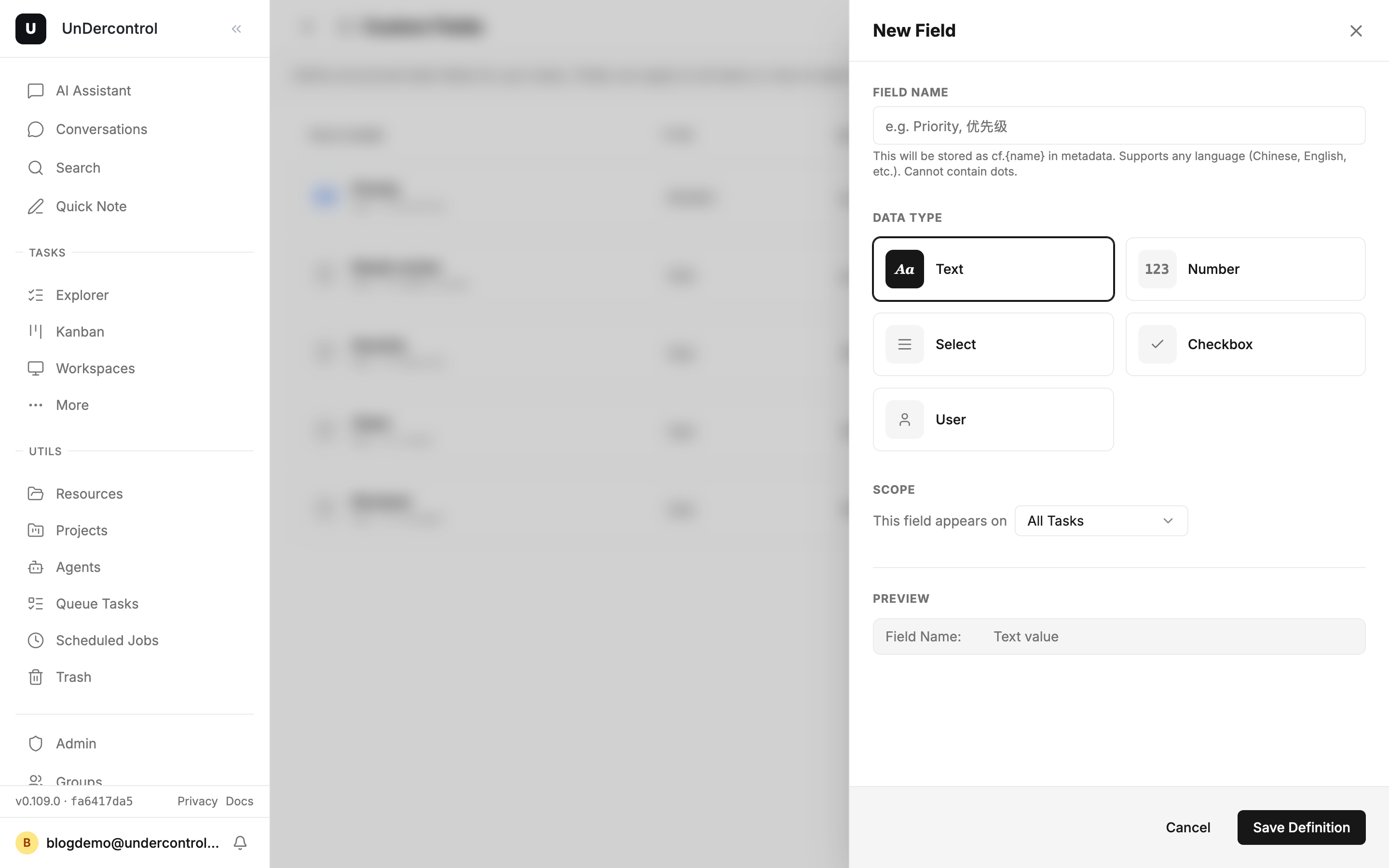
On the Custom Fields page (/custom-fields, also reachable from a task's properties, the kanban menu, or the command palette) you define a field and pick its type:
- Text — free text value
- Number — numeric, supports comparisons
- Select — a fixed set of options you list up front
- Checkbox — a yes / no boolean
- User — pick a member from your workspace
You can also mark a field required. Once defined, the field shows up in task detail for inline editing, and the value is stored on that task.
Scope a field by tag
Here's the key design choice: a custom field doesn't have to apply to every task. When you create a field you pick its scope:
- All tasks — every task shows this field
- Tasks with specific tags — only tasks carrying the chosen tags show the field
So "tags" and "custom fields" mesh naturally: a task's detail page only surfaces the fields that match its tags — irrelevant fields stay out of your way. Tag a task bug and "repro steps" / "severity" appear; tag it sales and "client" / "amount" show up instead.
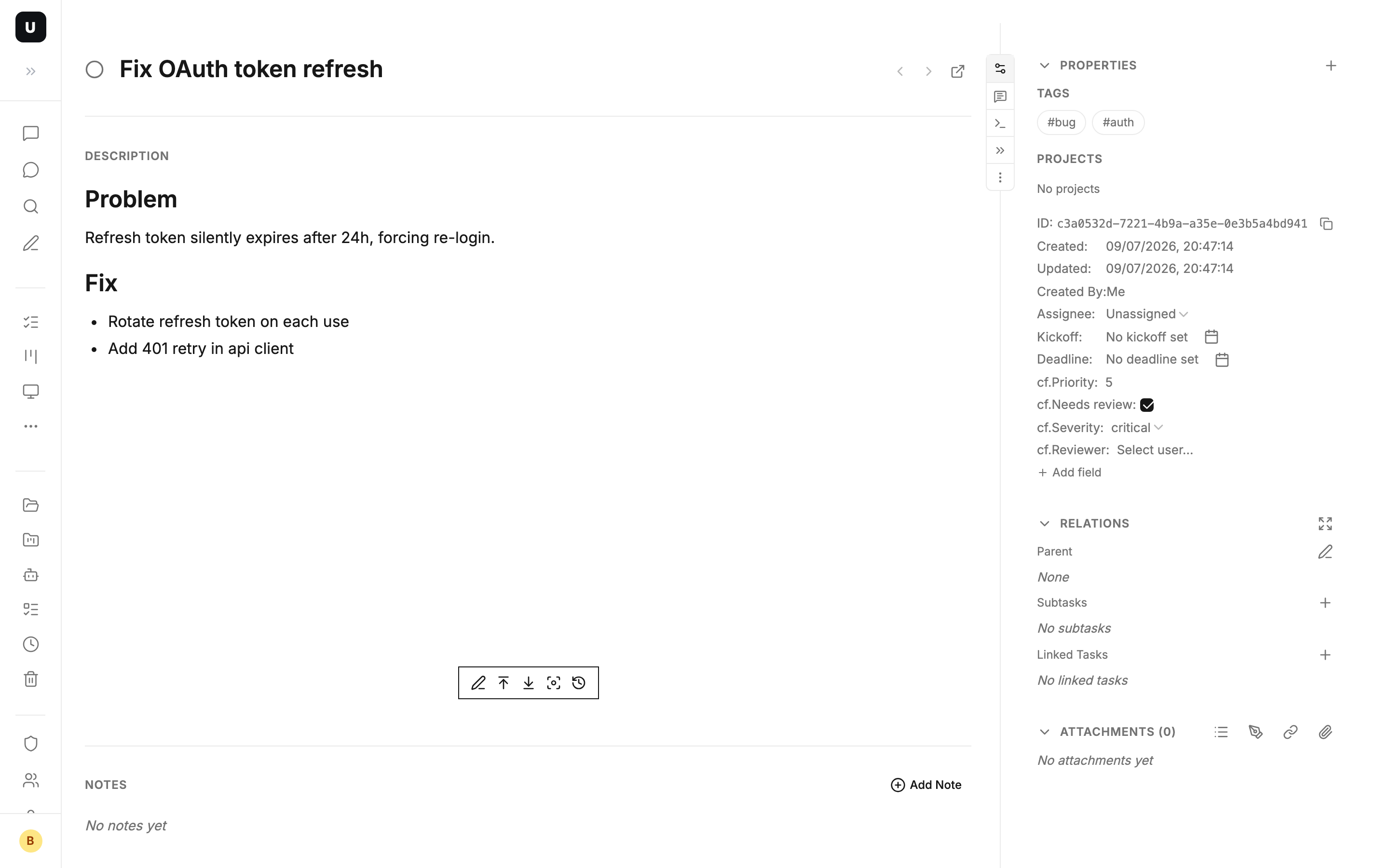
Typical scenario: a team runs "engineering bugs" and "sales follow-ups" side by side. Scope the bug fields to the bug tag and the sales fields to the sales tag. In one board, each kind of task shows only its own field set, with no cross-talk — no need to split into two systems.
3. Arbitrary key-value: for the ad-hoc and the off-schema
Not every piece of metadata is worth defining a field for. Task detail also has an extra metadata section where you drop arbitrary key-value pairs on a task (e.g. jira: PROJ-123, source: customer email) without declaring anything in settings first.
This layer is the buffer between "free tag" and "formal custom field": jot it down first, and once a key gets used often enough to become a stable dimension, promote it to a typed custom field.
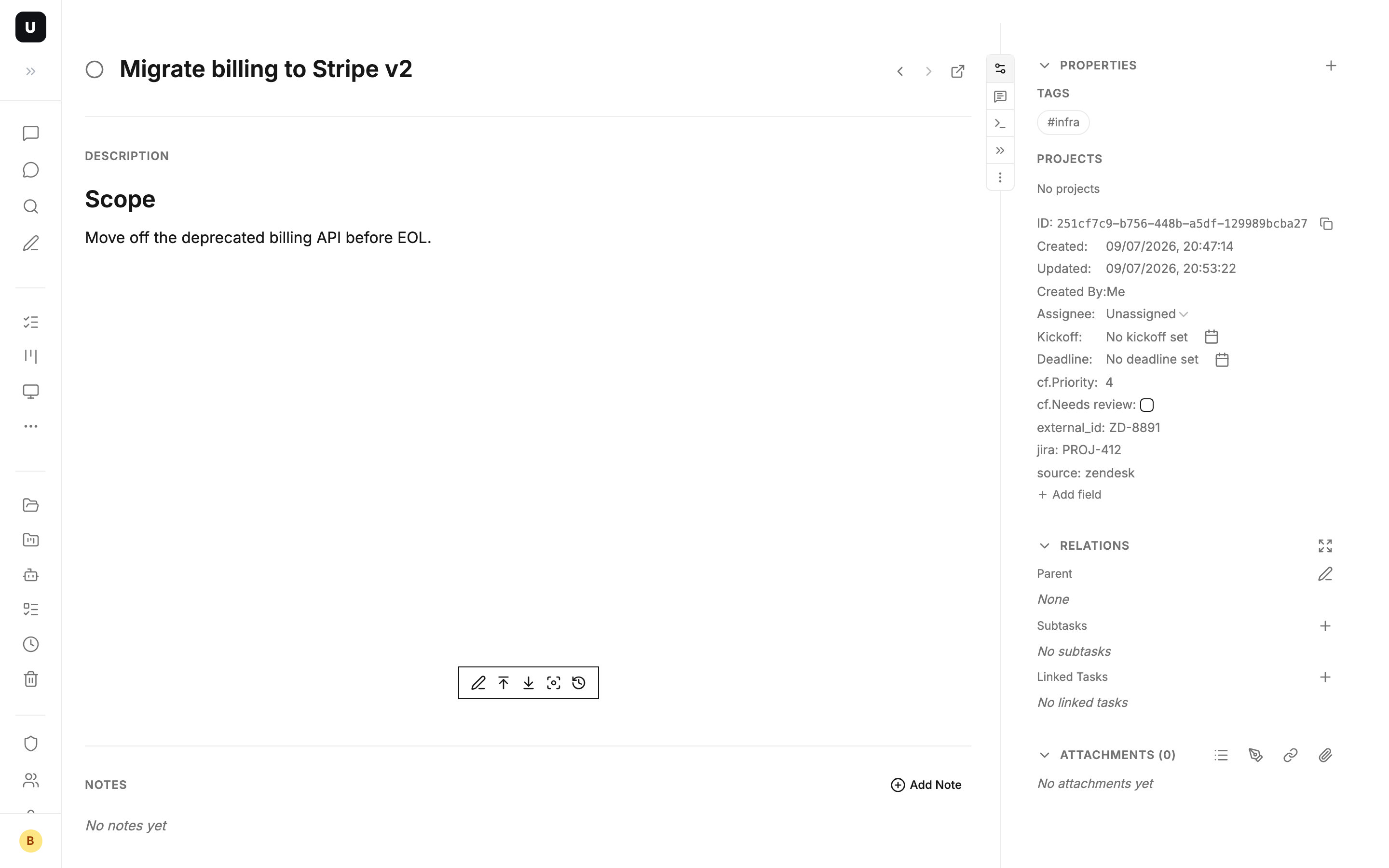
Typical scenario: tasks synced in from an external system carry a pile of loose fields (ticket number, source link, external ID) — stash them as key-value pairs verbatim. Whichever key later turns out to need frequent filtering, formalize it into a custom field.
4. Querying them: the cf. prefix and kanban columns
The real leverage of custom fields is that they're queryable just like built-in fields. Reference a custom field in a query with the cf. prefix:
cf.priority > 5                          -- priority above 5
cf.priority IN (1, 2, 3)                 -- priority is 1, 2, or 3
cf.department = 'engineering'            -- engineering department
cf.priority IS NULL                      -- tasks with no priority set
cf.priority > 5 AND status = 'todo'      -- high-priority todos
cf.priority > 5 ORDER BY updated_at DESC -- high priority, newest first
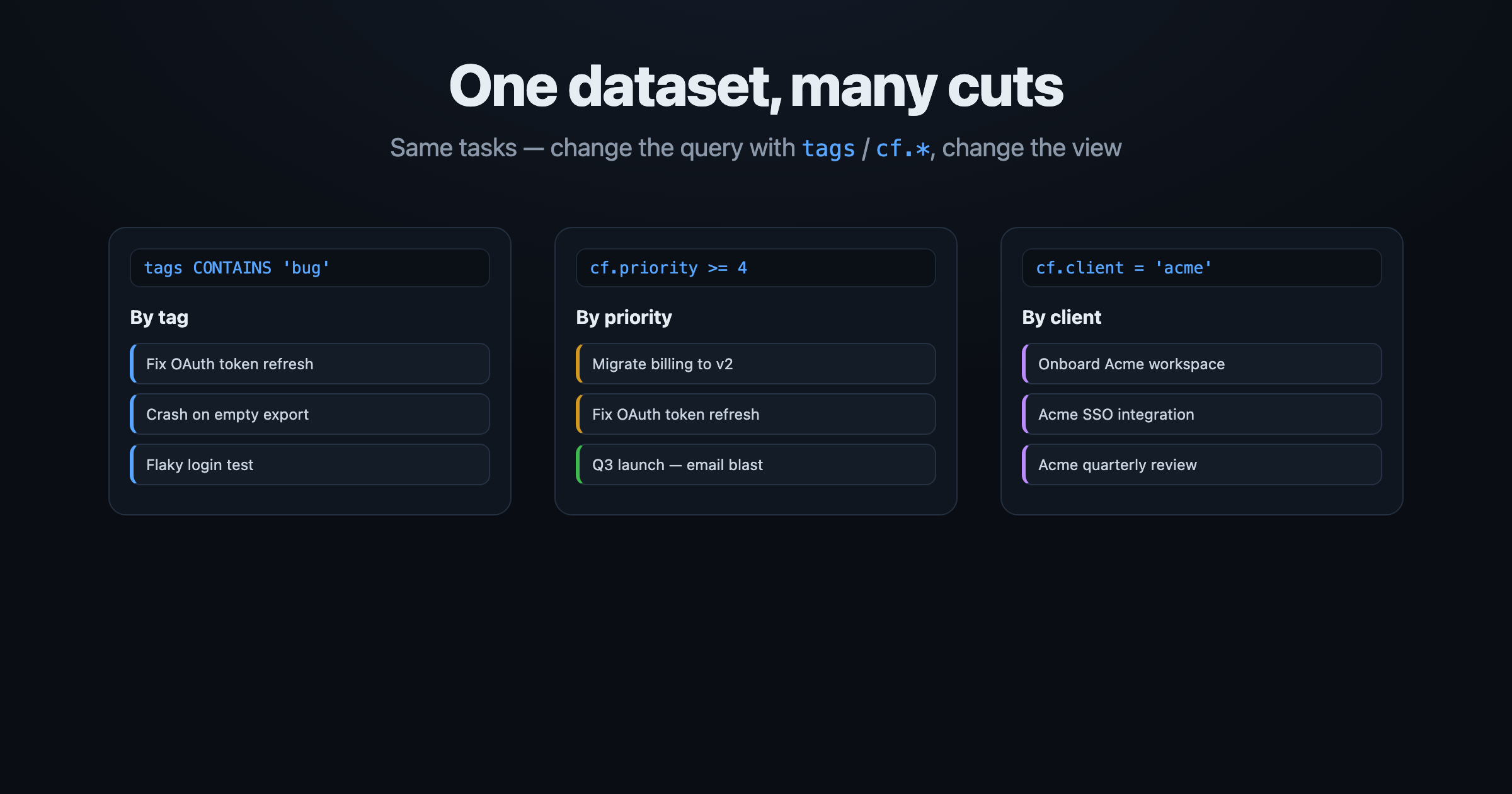
Custom fields combine freely with built-in fields (status, tags, deadline, …) in one query. And in UnDercontrol, every kanban column is essentially a saved query — so you can build a column called "High-priority todos" whose condition is cf.priority > 5 AND status = 'todo', and any task that matches drops into it automatically, no manual dragging. The task search page can surface custom fields as columns too.
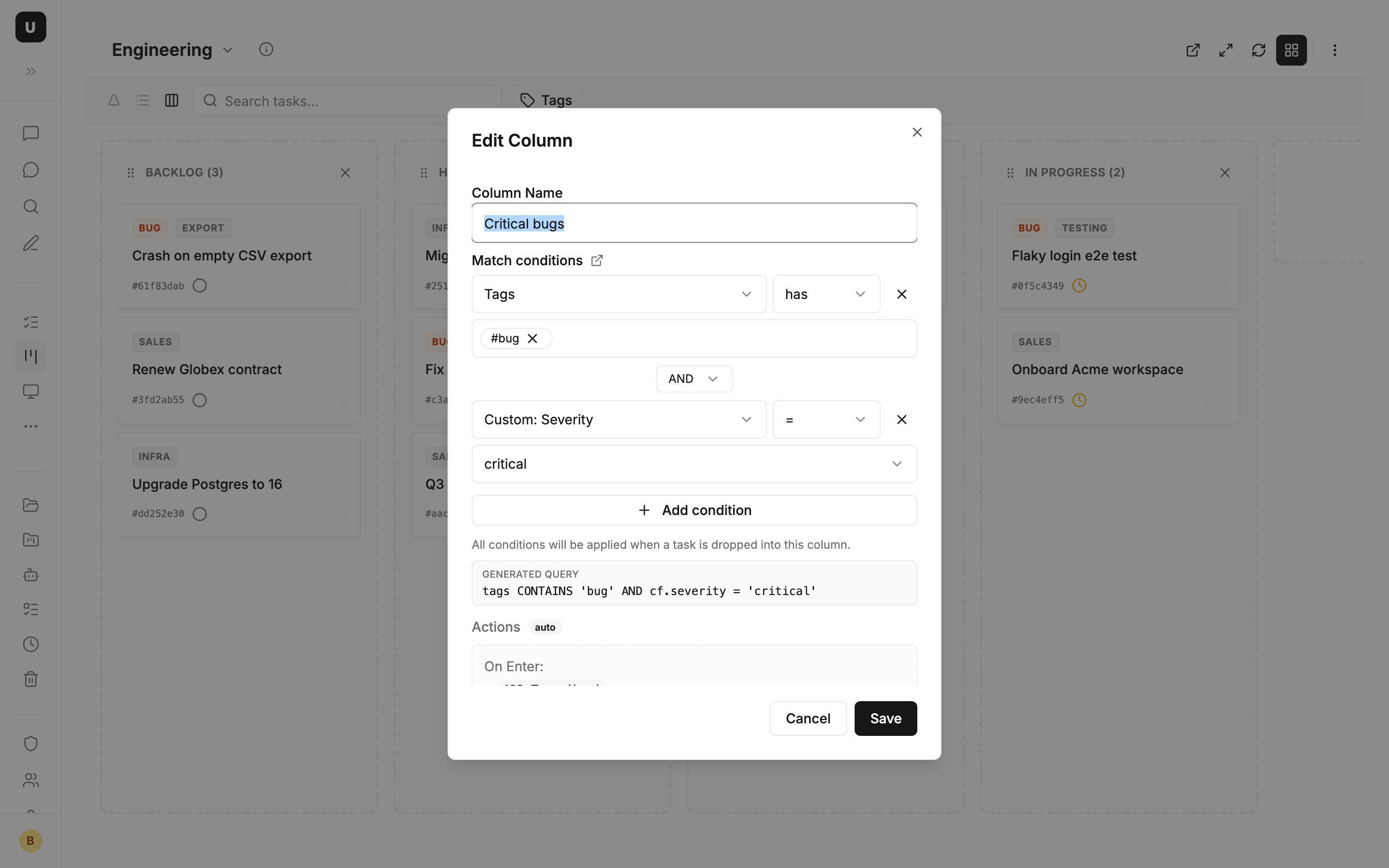
Typical scenario: build a "by client" board for the team, one column per client, each column's condition cf.client = '...'; a new task snaps into place the moment its client field is filled. The same set of tasks becomes "by priority" or "by department" with a different query — the view follows the dimension, the data stays single-source.
Wrap-up
UnDercontrol doesn't decide which dimensions your tasks should have — it hands you three layers to stack from light to heavy as needed:
- Free-form tags — zero-cost, jot-and-go, batchable, autocompleted
- Custom fields — typed (text / number / select / checkbox / user), optionally required, and scopable by tag
- Arbitrary key-value — for ad-hoc and off-schema info, promotable to a real field anytime
The common foundation under all three is one query language: tags CONTAINS_ALL(...), cf.priority > 5, freely combined with built-in fields, then frozen into kanban columns. The same set of tasks, sliced however you like — the structure is yours, not the tool's.
All of this rests on UnDercontrol's "a task is not just a to-do" idea: one unified information container, one editor across every text surface, plus tags and fields that let you define your own dimensions. Pair it with Claude Code, Codex, OpenCode, or any terminal-based agent to read and write this structured data — but you always keep the wheel on how it's organized.