One Board, the Whole Project in View — A Week with Kanban
Monday, 9 a.m. You open UnDercontrol, glance at one board, and already know where this week starts.
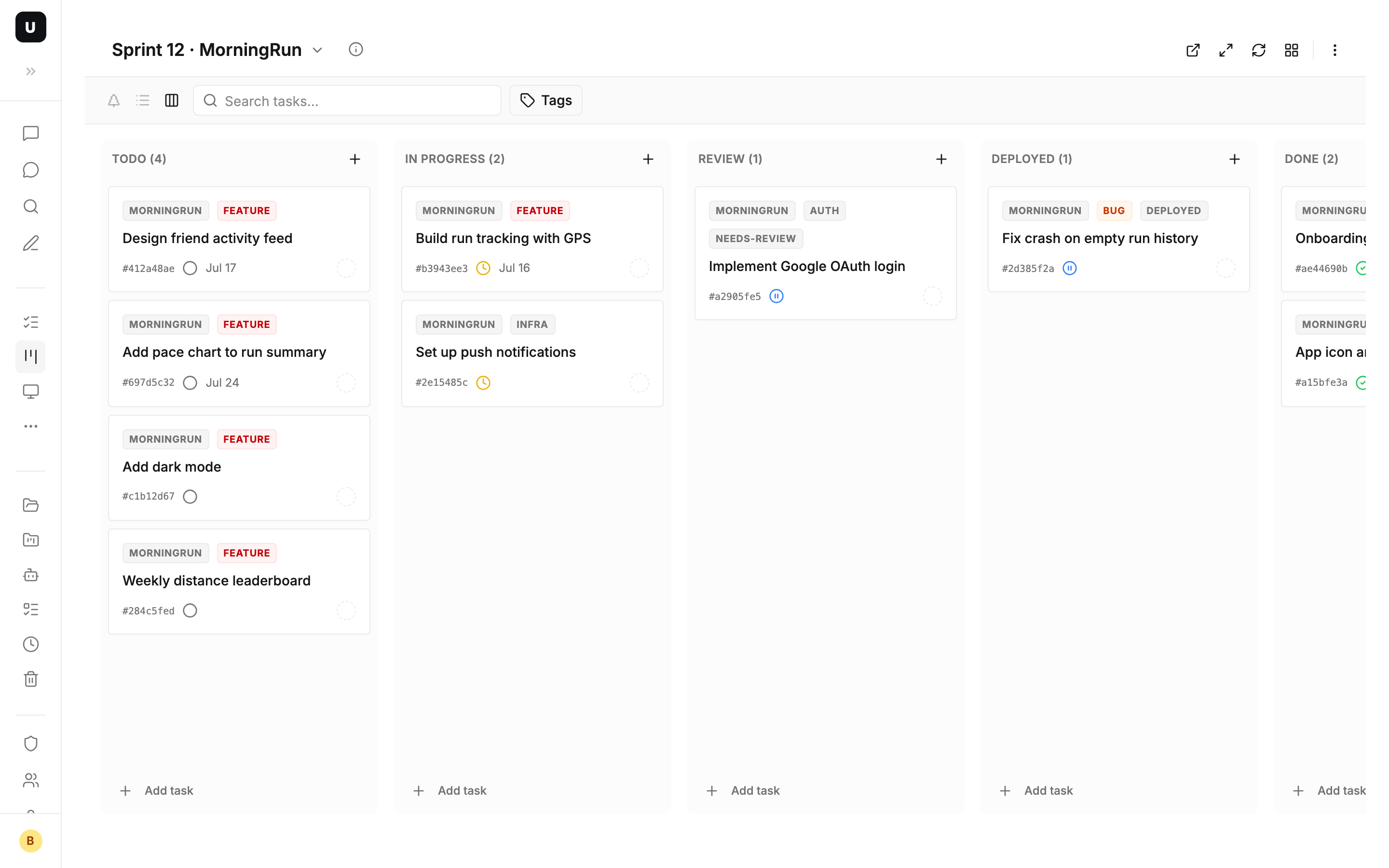
This is your side project MorningRun — a running social app, currently in Sprint 12. Five columns line up across the board: Todo, In Progress, Review, Deployed, Done. What hasn't started, what's stuck, what's waiting on someone else — you can see it all without opening a single task. Let's walk through a whole week with this one board.
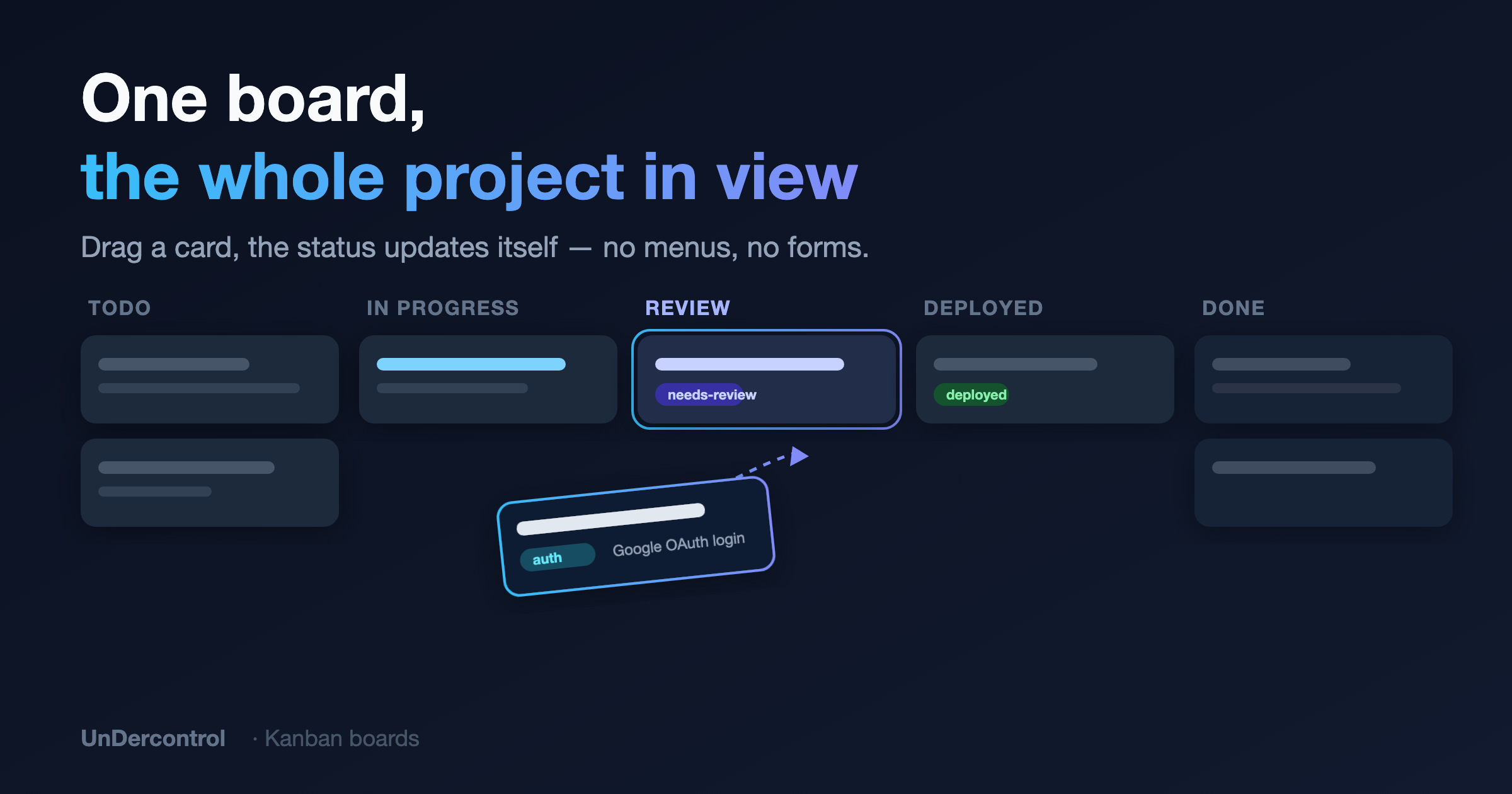
Monday: drag from "Todo" to "In Progress"
You grab a card — "Implement Google OAuth login" — and drag it from Todo to In Progress. The moment you let go, the task's status flips to "In Progress" on its own. No dropdown, no form.
That's the heart of kanban in UnDercontrol: columns are the stages of your workflow, and dragging is the status change. Whichever column a card lands in, the task's status, tags, even custom fields update to match. And it's instant — the same task in your task list is already in sync.
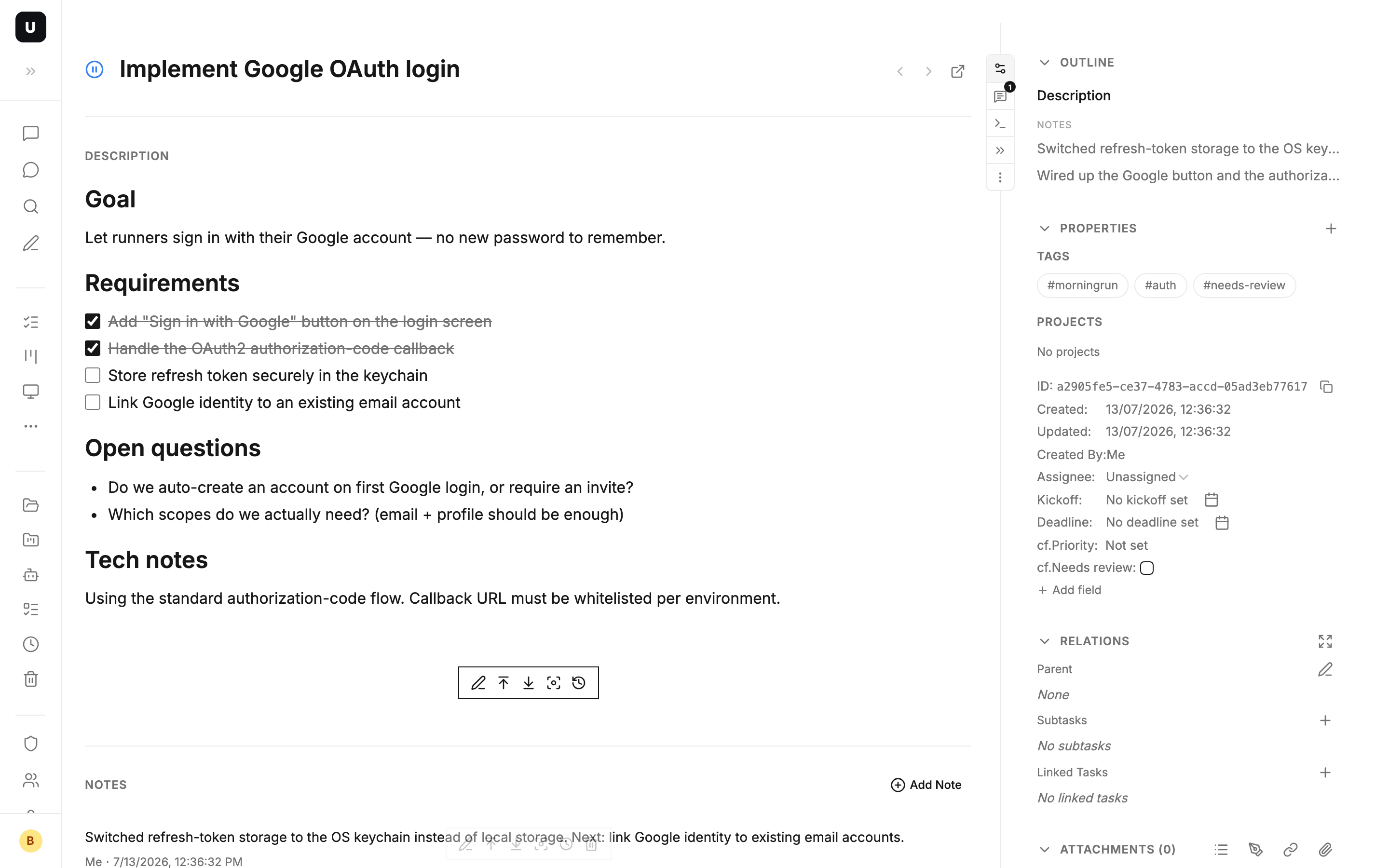
Tuesday: a card is more than a title
You open that OAuth card. Inside isn't a single dry line — it's a full Markdown document: a requirements checklist, the technical approach, a couple of open questions. This is the task's living document, its single source of truth.
Below it you append a note: "Callback URL verified on the staging redirect — commit a1b2c3d." Notes are an append-only timeline that records how the work progressed, and each one keeps a full edit history you can roll back to anytime.
Not just tasks: UnDercontrol's editor is shared across every text surface. Task bodies, notes, expense memos, account notes — whatever you write, it's the same Markdown experience. Every card on the board is backed by a container that holds the complete picture.
Wednesday: customize a column, let the board do the chores
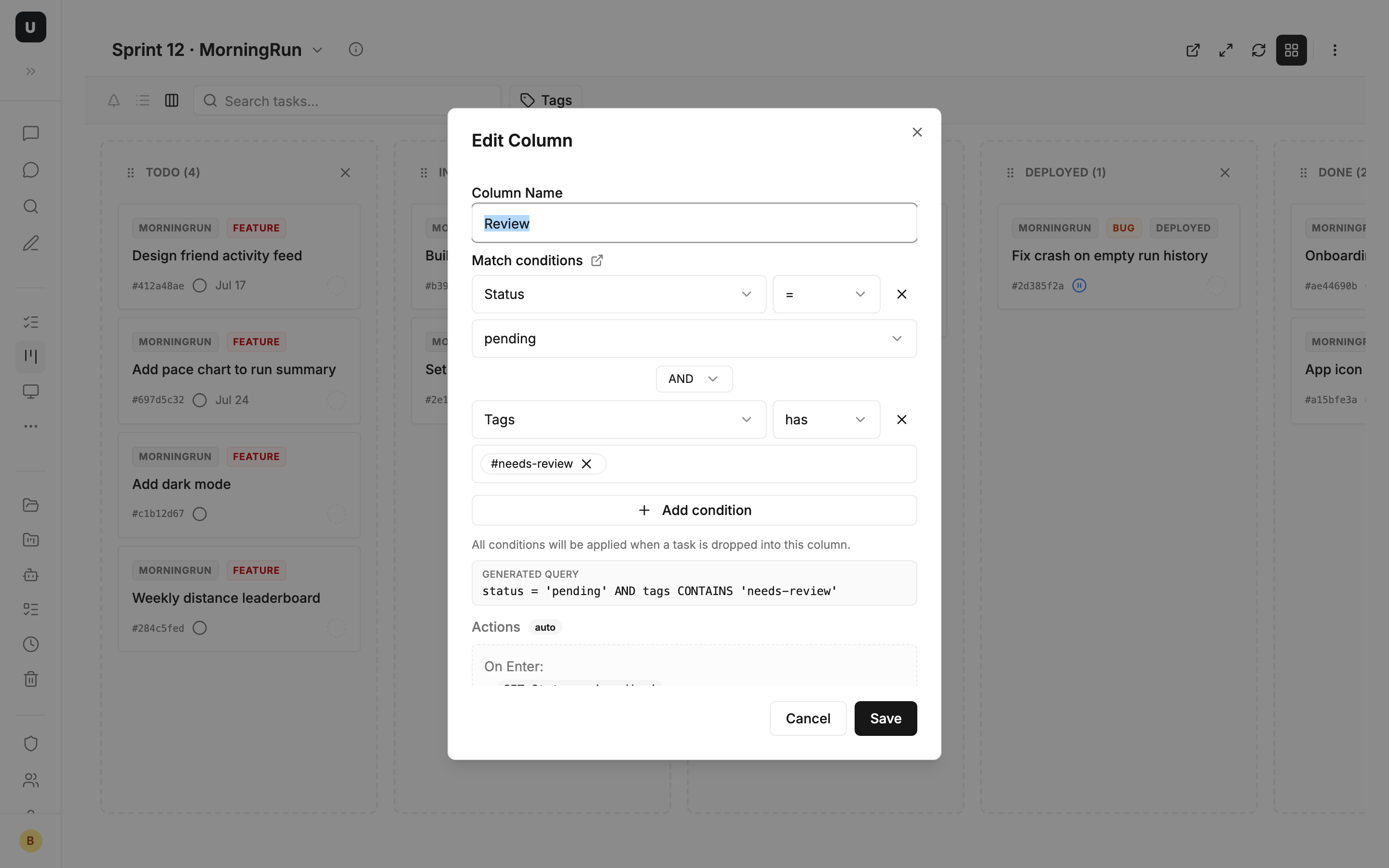
The default columns are status-based. But your team added a code-review step, so you customize a column.
Open "Edit Column" and you only fill in three things:
- Column name: Review
- Match condition:
status = 'pending' AND tags CONTAINS 'needs-review'— which cards land here - Automatic action: when a card enters this column, auto-add the
needs-reviewtag and @-mention your teammate
So when you drag the OAuth card into "Review," a few things happen on their own: the tag is added, your teammate gets pinged. A column's automatic actions are generated from its match condition, always in sync; for anything fancier you can add actions manually.
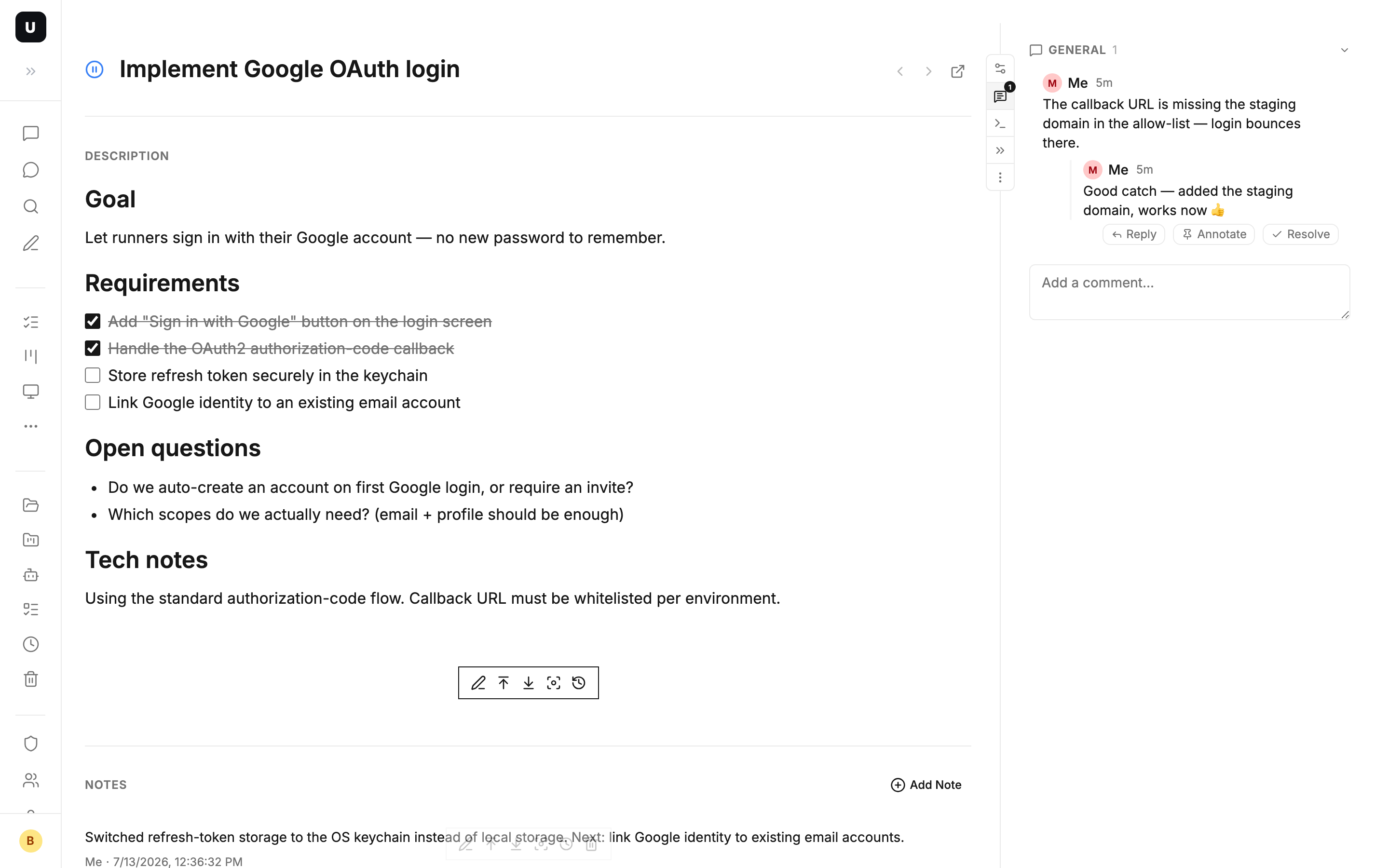
A few minutes later your teammate leaves a comment on the card: "The callback URL is missing the staging domain in the allow-list." You reply: "Good catch — added it 👍." Comments are a lightweight, threaded discussion — short and focused, back and forth, without switching to IM and without drowning in the body text. The body says "what it is," notes record "how it evolved," and comments are "let's quickly align on this one card."
One column isn't enough. You add a second custom column, "Deployed": match condition status = 'pending' AND tags CONTAINS 'deployed', and on enter it sets the status to done. Two custom columns later, the flow from review to shipped runs right on the board.
This is where kanban gets genuinely powerful — it doesn't just show, it works for you. Drag a card once, and all the status changes, tagging, and notifications happen in one move.
Thursday: columns don't have to be statuses
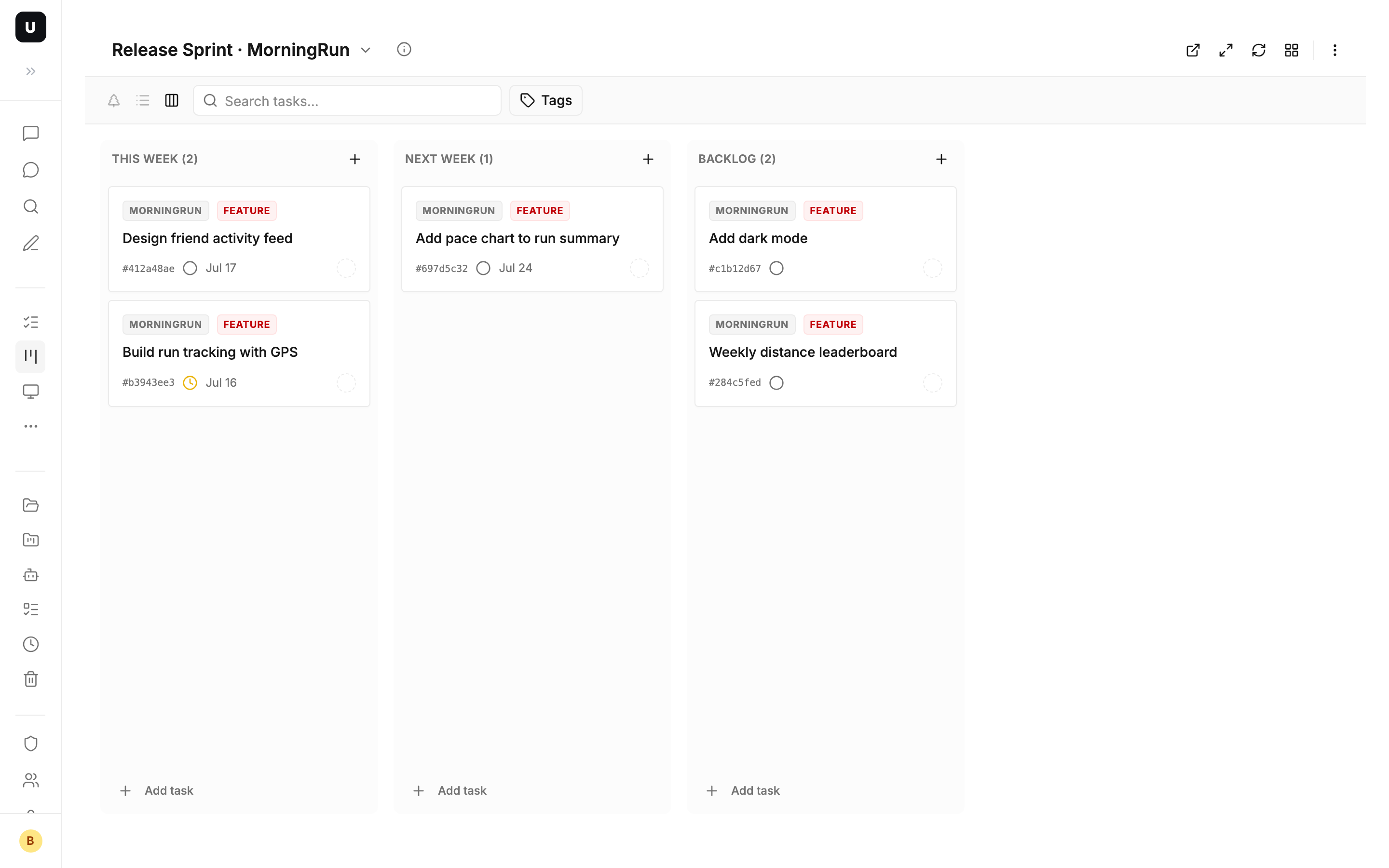
Midweek, you realize status columns aren't enough. MorningRun ships next week, and what you really care about is "what must get done this week." So you spin up another board — "Release Sprint" — where the columns aren't Todo / Done but This Week / Next Week / Backlog.
Because behind every column is a query condition. "This Week" filters deadline <= this Sunday; "Backlog" filters status = 'todo' AND deadline IS NULL. A board is essentially a saved query, not a folder that holds things — so the same task can appear on both "Sprint 12" and "Release Sprint" with zero duplication.
Typical scenarios: one board to push daily development by status; another to plan priorities by time; a separate one per client project. Same set of tasks, several angles, each its own view.
Friday: share the board with your team
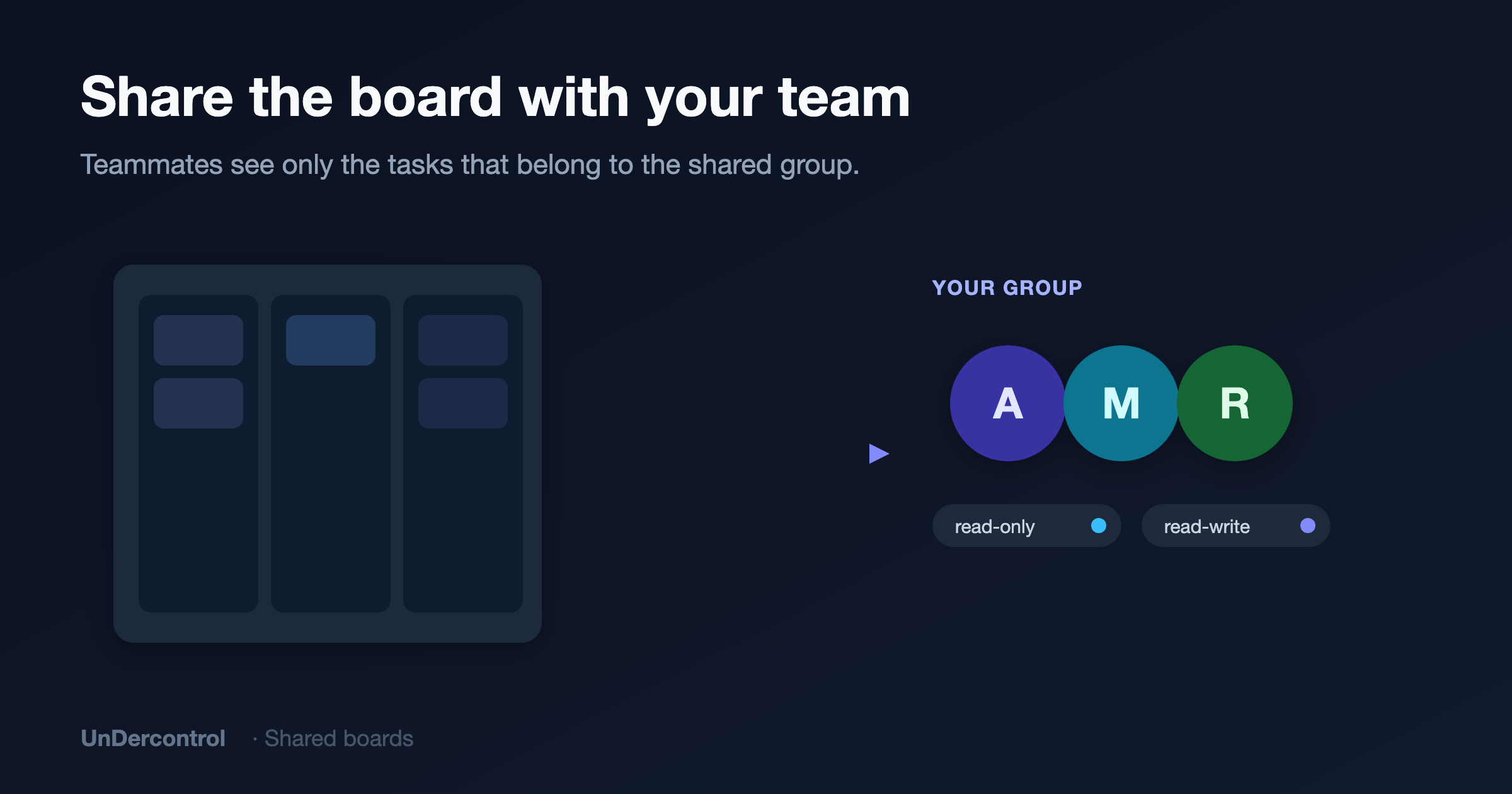
MorningRun's designer is taking over the UI cards this week. You open the board settings, click "Share," and pick your team group. She sees the board immediately — but only the tasks that belong to that group; your own private tasks stay hidden. Who's read-only and who can move cards is controlled by permissions.
No extra sync meeting, no "where are we at?" pings. A shared board is where the team stays aligned.
The week, in summary
This week you didn't hold a single "sync meeting" and didn't bounce between apps. One board showed you the whole MorningRun project:
- Drag = status change — columns are workflow stages, drop to update, synced instantly
- A card is a complete information container — Markdown body + notes timeline + comments behind every card
- Custom columns do the chores — auto-update status, tag, and notify from a match condition; two columns wired up the review-to-shipped flow
- Columns don't have to be statuses — This Week / Next Week / Backlog; a board is a saved query, not a folder
- A shared board = team alignment — only group tasks show, permissions controlled
Want to try it? Open UnDercontrol and drag your first card — and watch the status change itself.